
e-Gérance: Simplifying Rental Management for Property Owners
A B2C SaaS platform that helps French landlords digitize their rental agreements, manage tenants, and streamline property administration — all in one place.
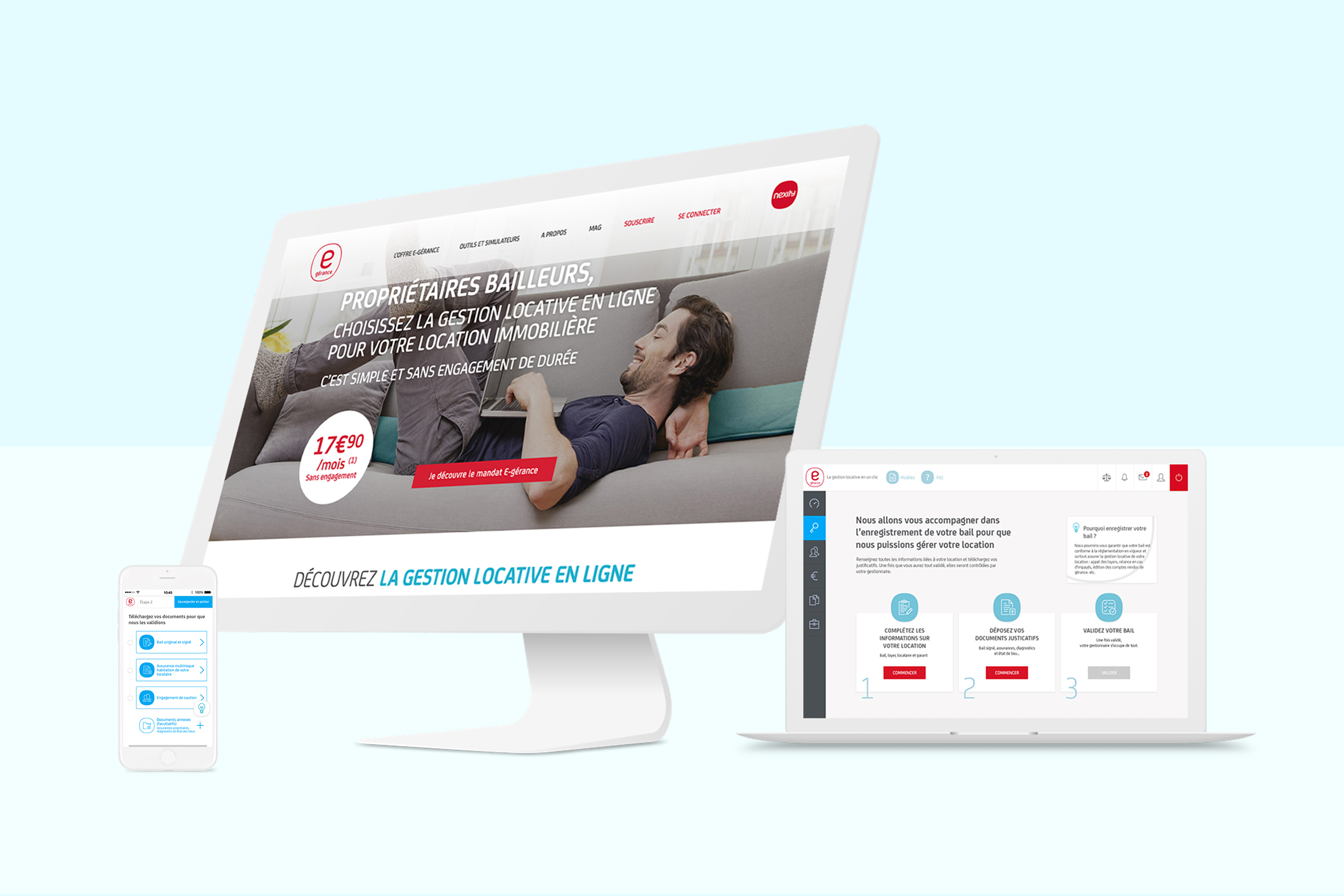
French property owners often struggle with the complex administrative tasks of renting out their properties — from drafting legally compliant rental agreements to managing tenant information and required documents.
e-Gérance aimed to provide an affordable online solution (€17.90/month) that simplifies the entire rental management process, from lease creation to document storage.
One year after its first launch at the end of 2015, E-gérance found:
Therefore, E-gérance approached us for design solutions to enhance user experiences.
Clients first presented content, design, and functions audit in the workshop, outlining problems users encountered with the current platform.
Secondly, we worked collaboratively to define and prioritize issues to solve as follows:
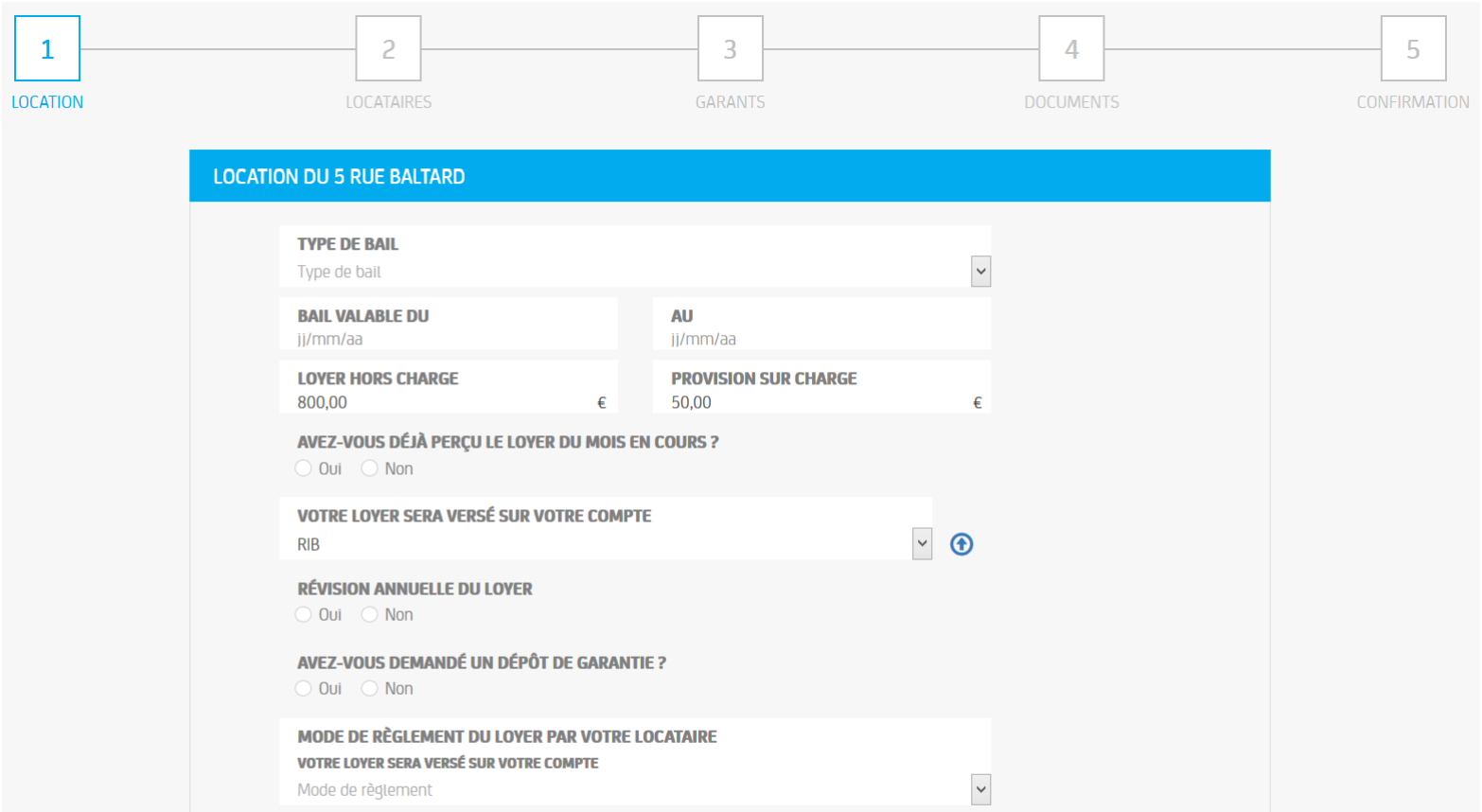
- Form-heavy online Rental Agreement Registration (RAR)
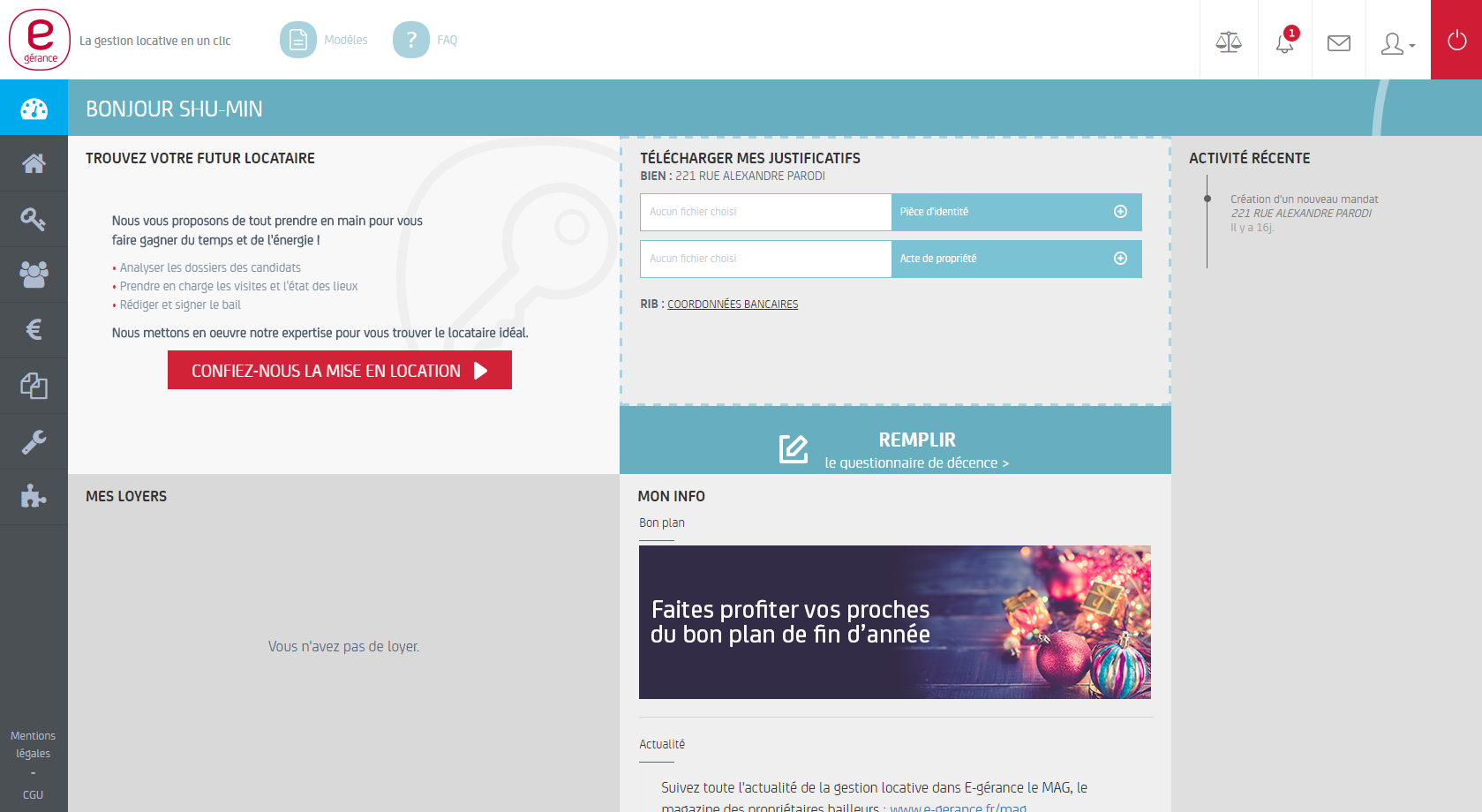
- Unclear task flow and visual hierarchy of the dashboard
- Repetitive sections: "My properties section" and "my rental properties section"
Below are previous RAR flow and dashboard:
I created personas based on user research to understand the target audience. Patrick, a 45-year-old financial controller in Paris, owns two apartments and struggles to balance property management with his busy work life.

Key user needs:
- More time for family instead of paperwork
- Tax and legal advice for rental properties
- Easy online tool to track tenants and repairs
- Centralized document storage
I examined e-banking, e-commerce, real estate and insurance websites to find design patterns and language that E-gérance customers may already be familiar with.
I found:
- Most of them used the traditional accordion or a single page to reveal information progressively as design patterns, followed by static or a few micro interactions.
- I thought filling out forms should be as easy as a conversation so that the chatbot might be an option as well.
- I also looked at vacation rental-based sites to analyze user flows and think of ways to streamline the experience.
After an internal meeting with PM and technical Lead, we decide to take the design direction close to "e-banking" and "vacation rental-based" sites.
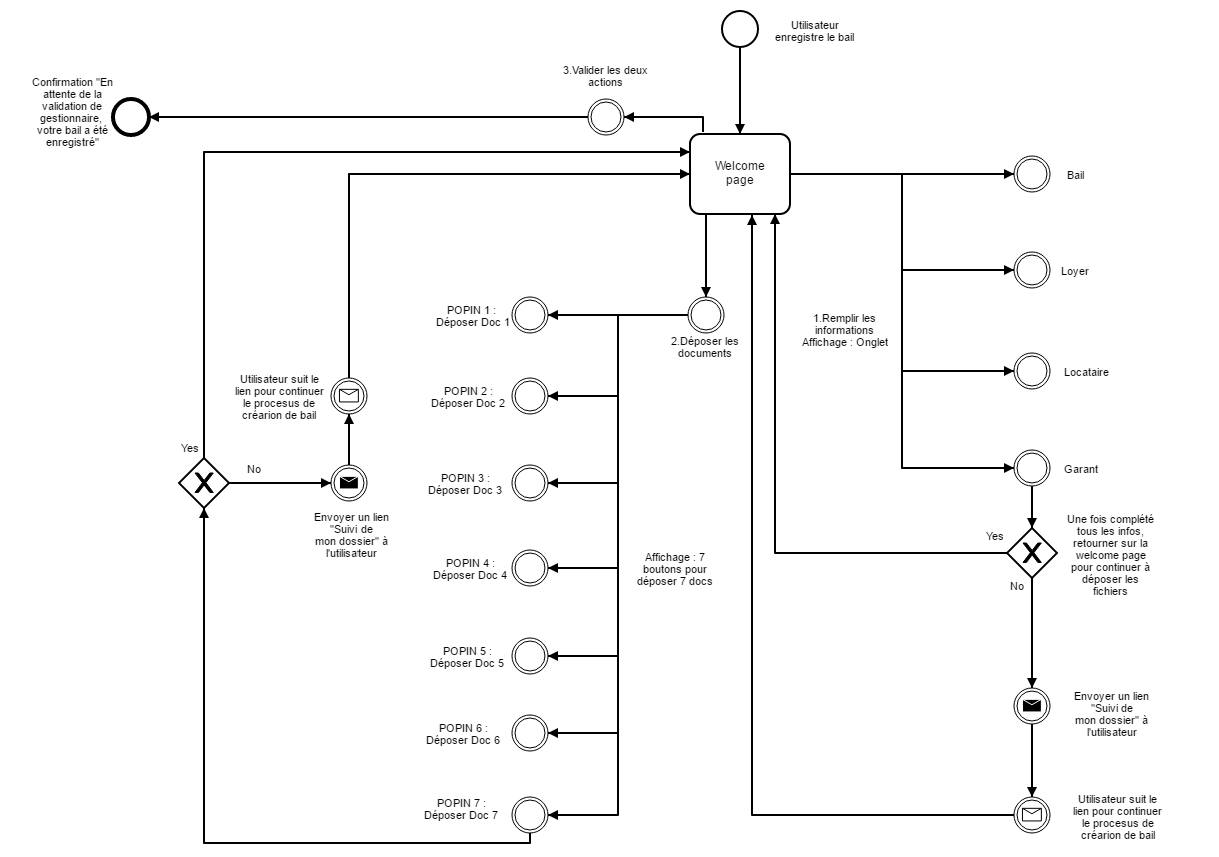
Based on the persona and research, the updated user flow was created to demonstrate the main structure of the process. The client and technical professionals were closely involved in this stage to make sure all stakeholders are on the same page about the scope and feasibility of the proposed features.
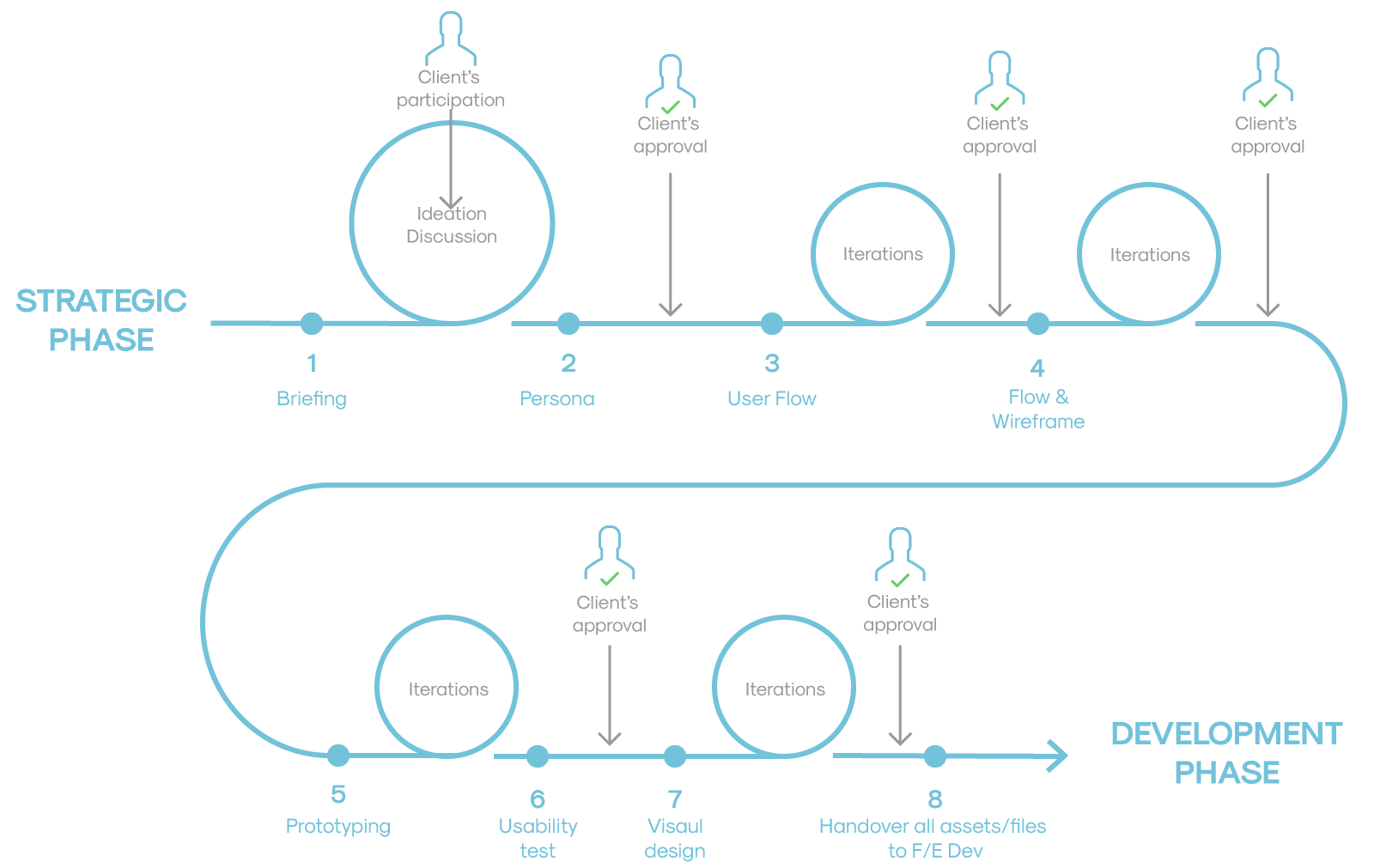
I led the design through an 8-phase iterative process, from initial briefing through to developer handover. Each phase included client participation and approval checkpoints.
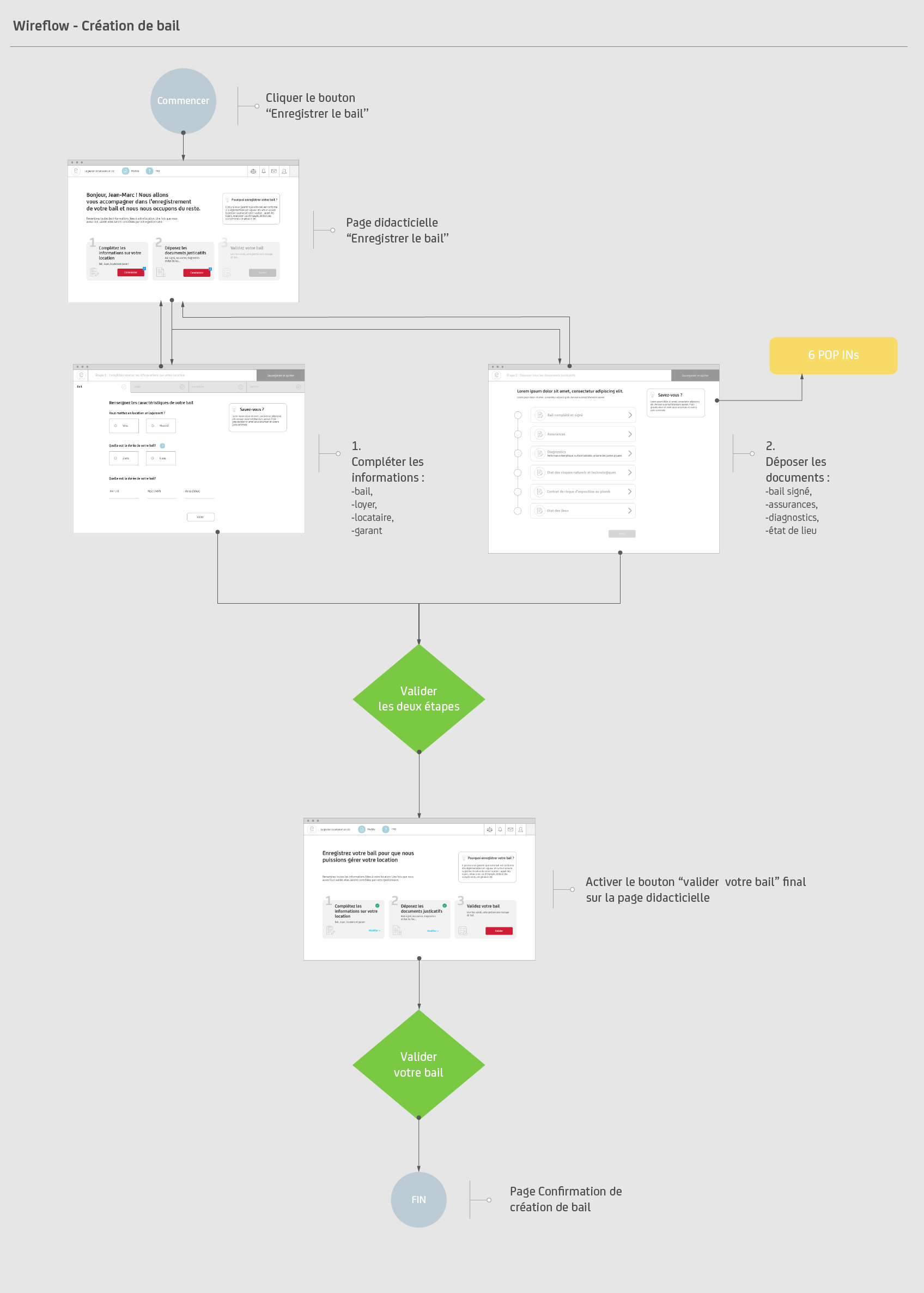
The core user journey follows a 3-step wizard that guides landlords through the lease registration process:
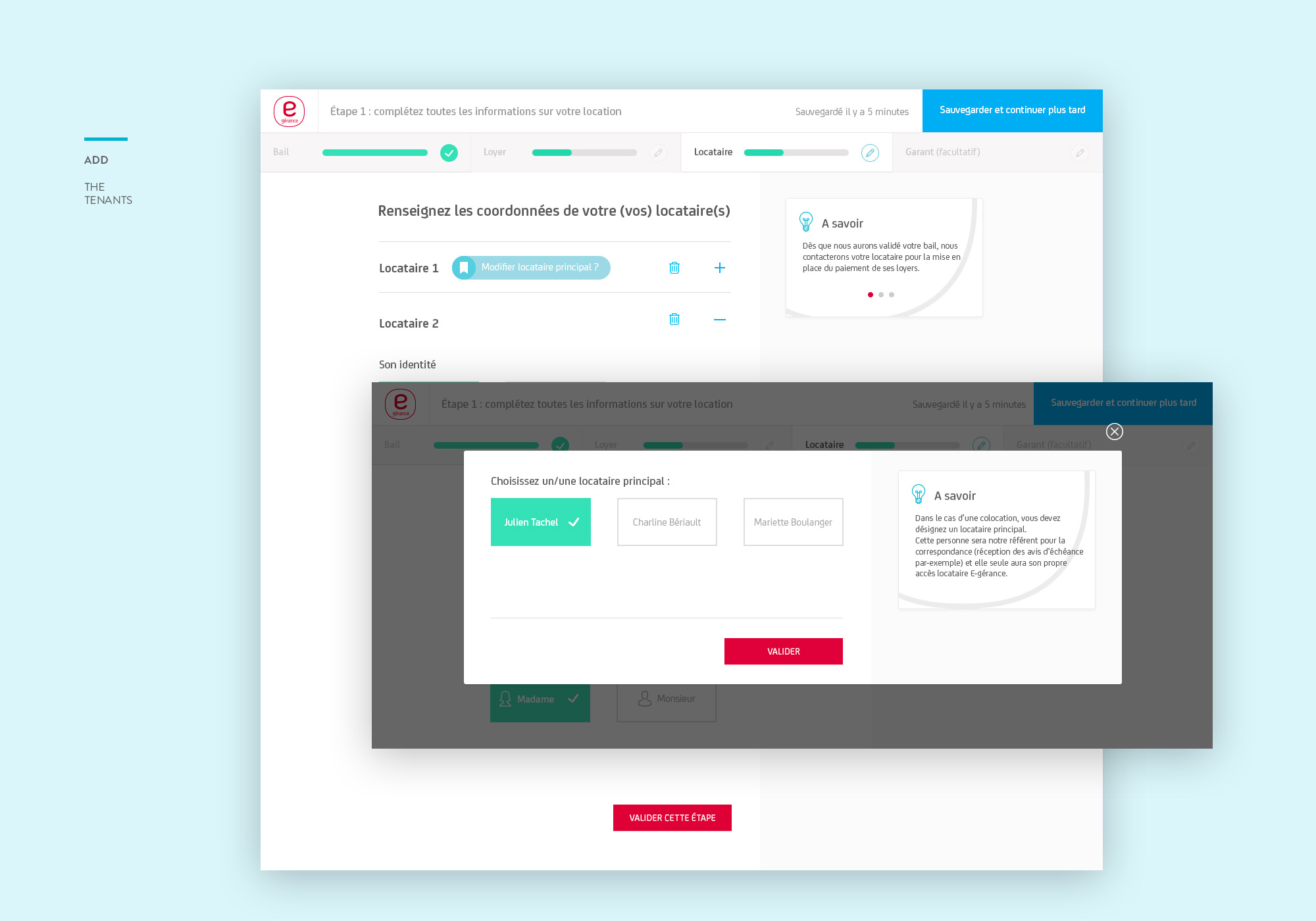
- Complete information — Rental details, tenants, guarantors
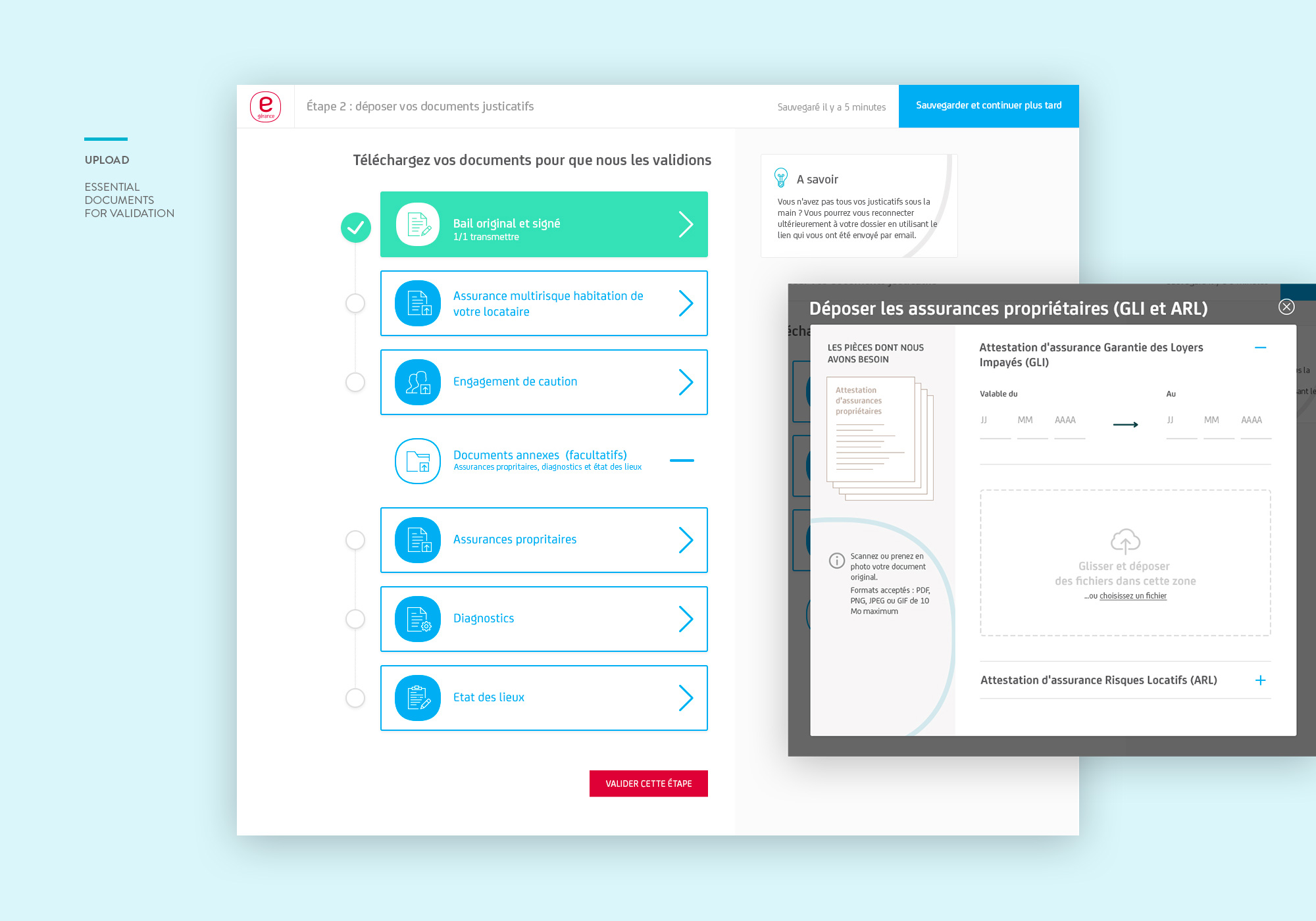
- Upload documents — Signed lease, insurance, diagnostics
- Validate lease — Review and confirm registration
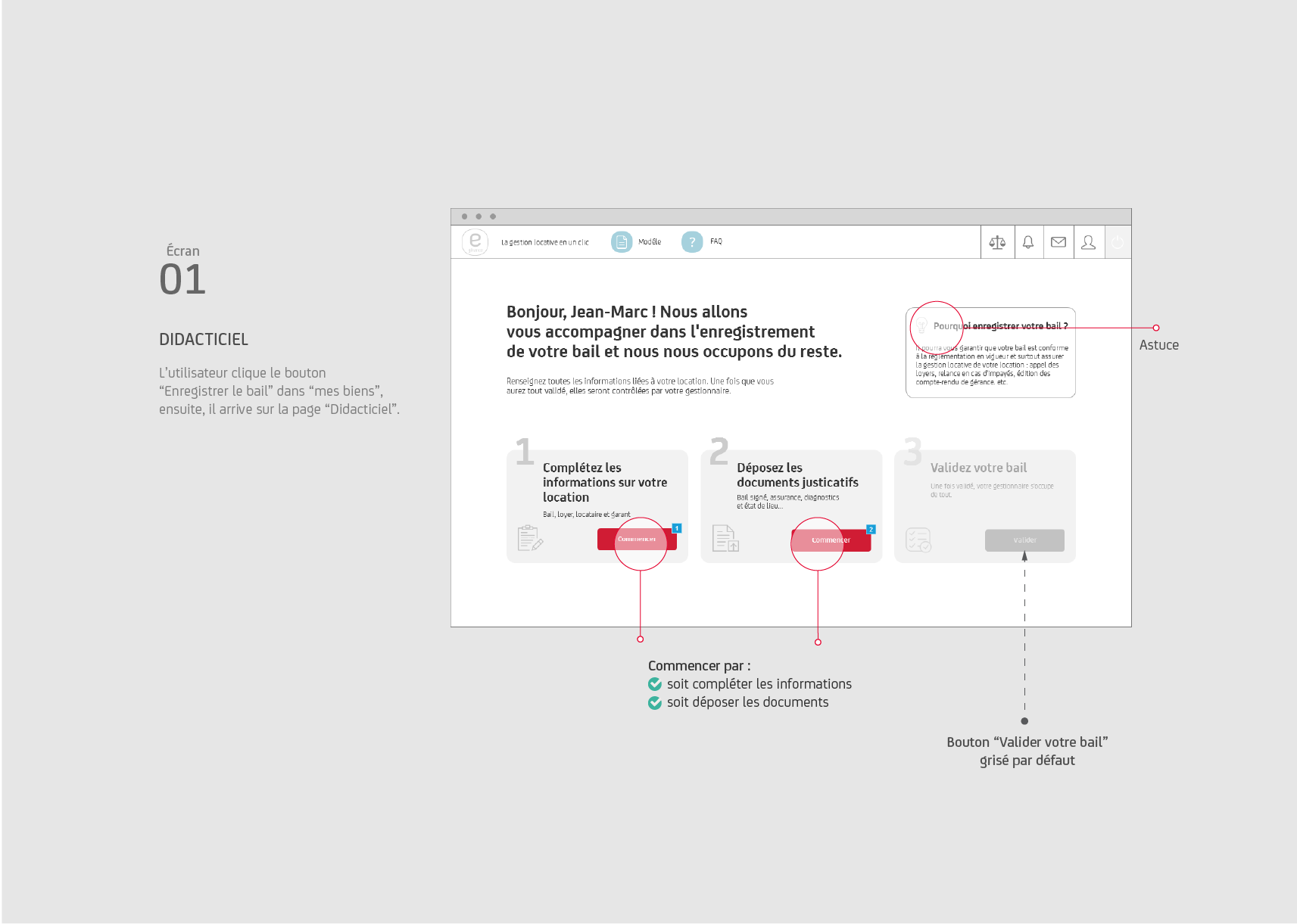
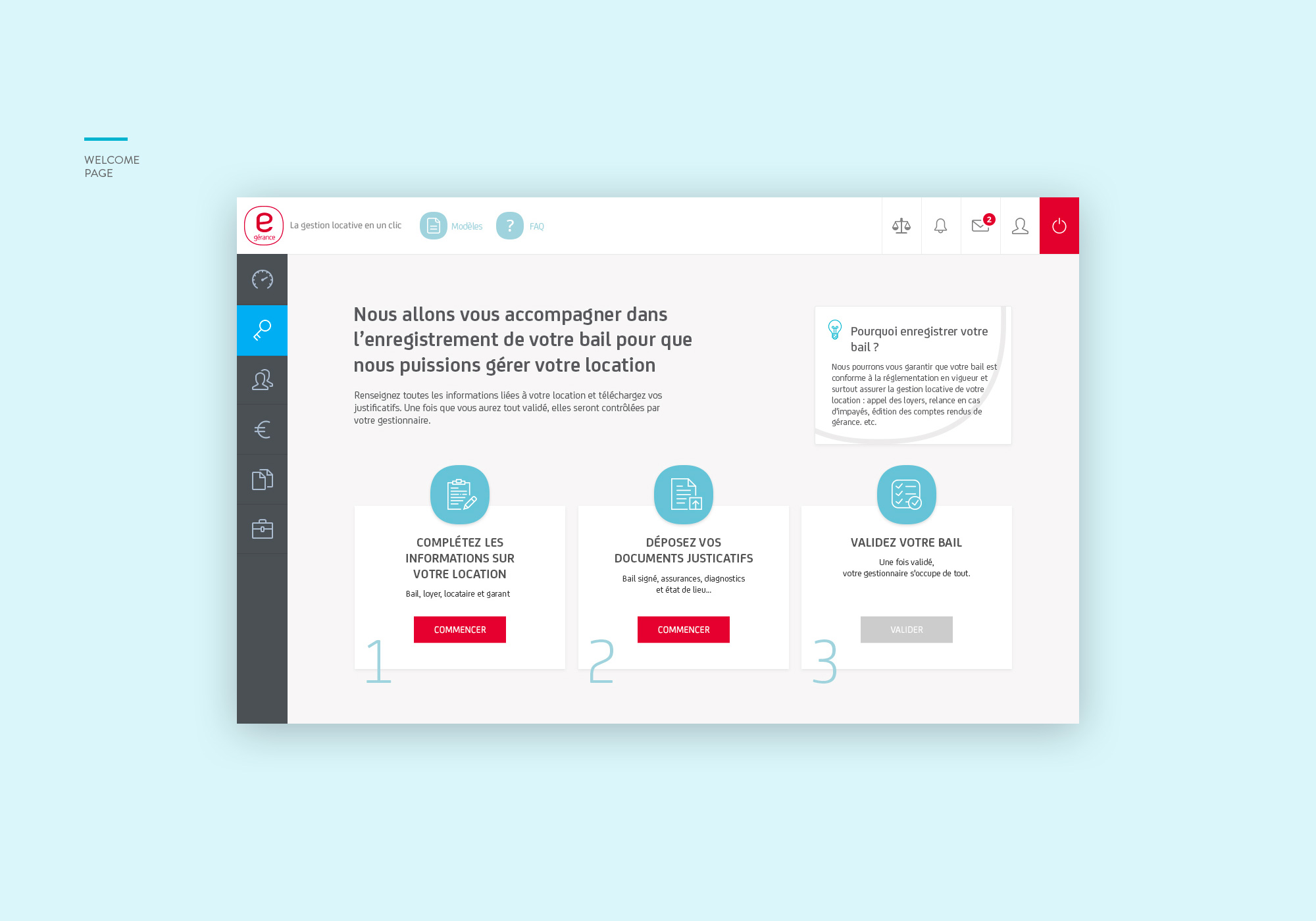
Screen 01: Tutorial
User clicks "Register lease" button in "My properties", then arrives on the Tutorial page.
- 3 steps: Complete information, Upload documents, Validate your lease
- Start with: either complete information OR upload documents
- "Validate your lease" button is grayed out by default
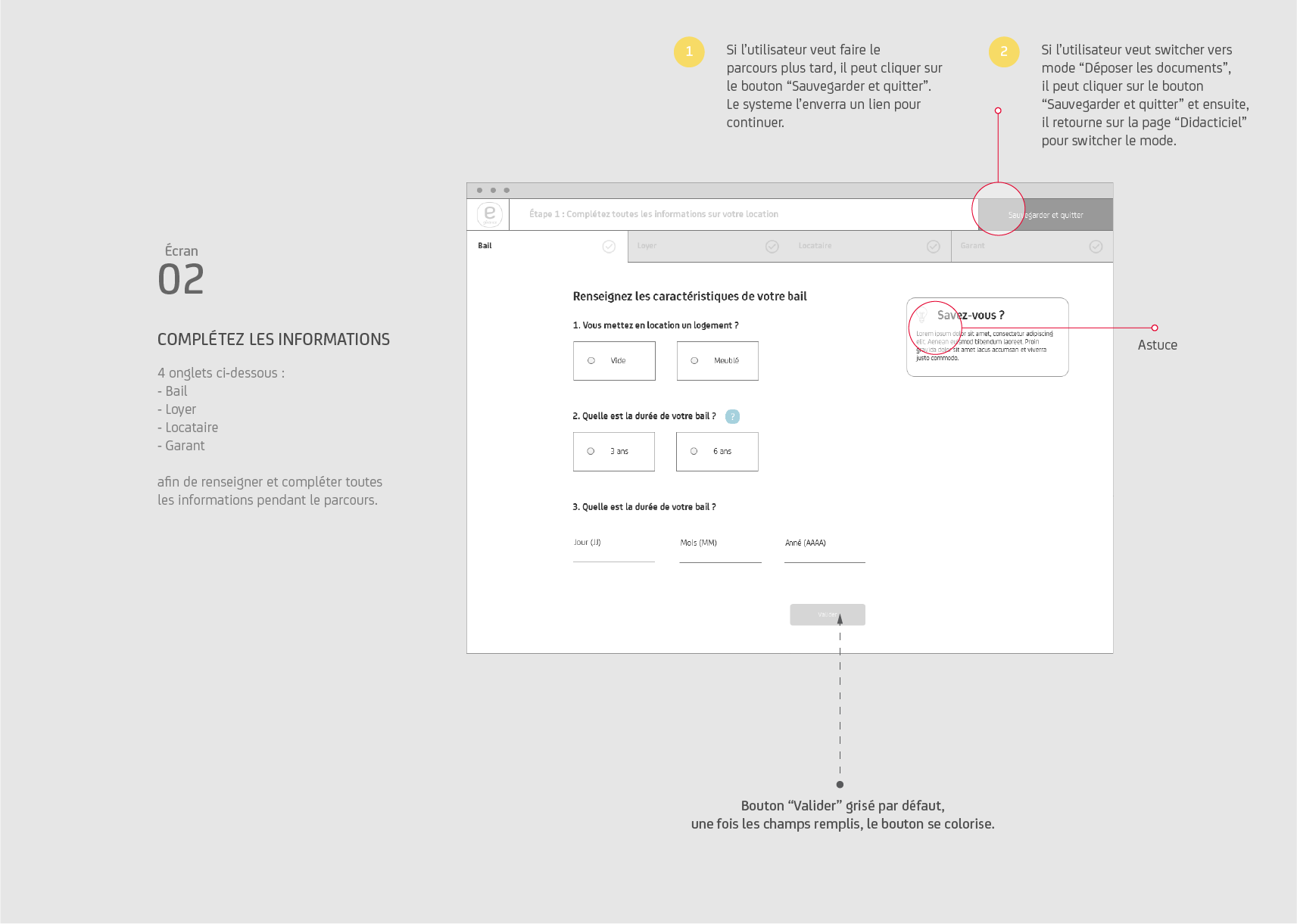
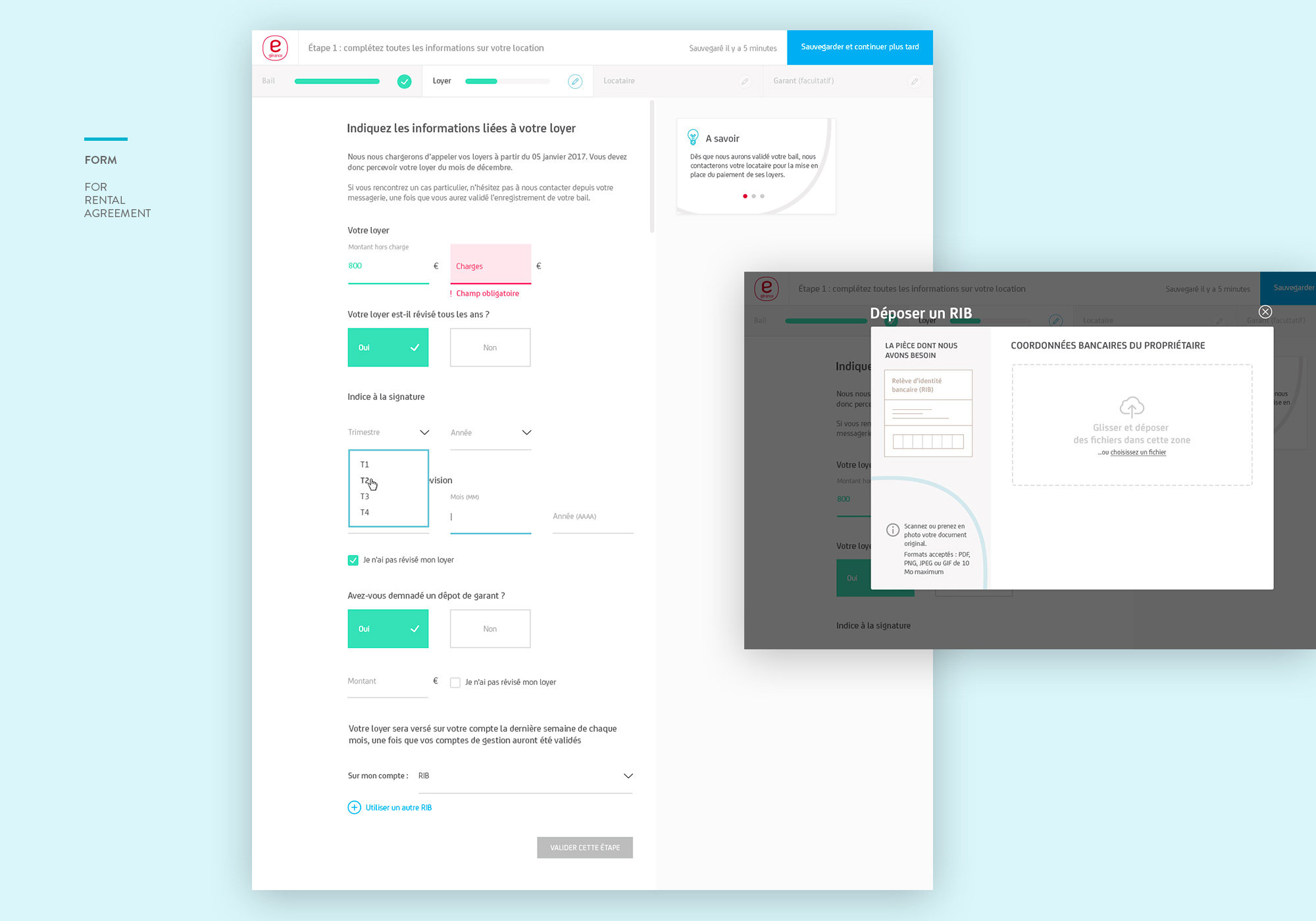
Screen 02: Complete Information
4 tabs: Lease, Rent, Tenant, Guarantor — to fill in and complete all information throughout the process.
- Save & Quit: If a user wants to complete the process later, they can click "Save and quit"
- Mode Switch: If a user wants to switch to "Upload documents" mode, they can click "Save and quit" and return to the Tutorial page
- Tip: "Did you know?" tooltips to help guide users
- "Validate" button grayed out by default; once fields are filled, the button becomes active
The final UI uses a clean, professional aesthetic with a signature red accent color to guide users through key actions. The design prioritizes clarity and reduces cognitive load for non-technical users.
The platform was designed responsive-first, ensuring property owners could manage their rentals on-the-go from any device.
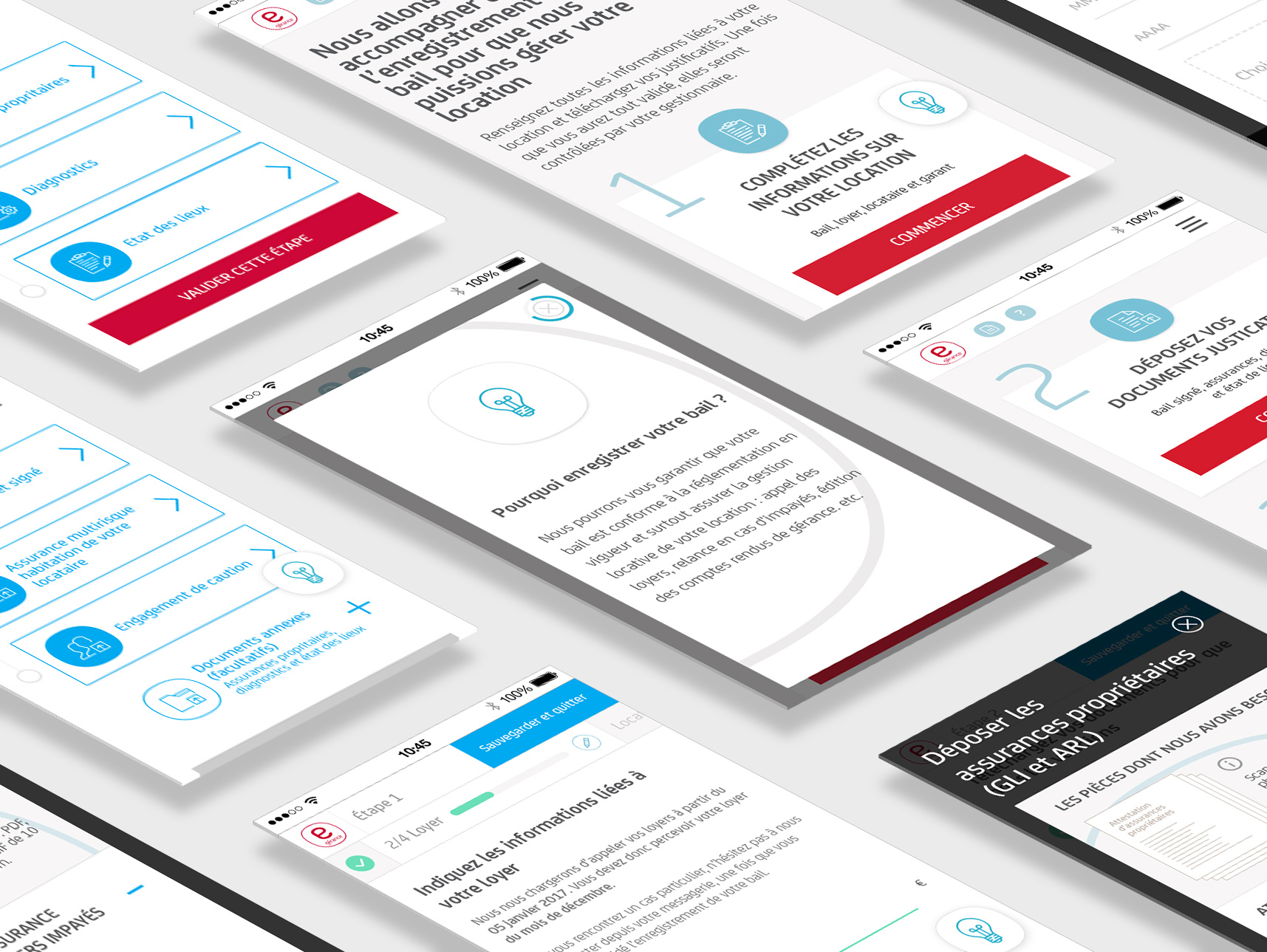
Before designing, we developed several UX guidelines that we would use to guide our design decisions. The guidelines outlined the overall structure and features that we would use to help make it easier for users to fill out their RAR forms.
💡
Give as much guidance as users need
📊
Meaningfully group information
☂️
Avoid complication
📋
Reveal complexity progressively
👆
Create a predictable, simple and natural interaction
⚡
Make it efficient
As you can see, the visual design of the interface and web form is flat and minimalist, so creating usability with micro-interactions that boost UX is becoming unavoidable.
After hand-over mockups/assets to front-end developers, I proposed some tips and showed them which real-time micro-interactions will support usability the best in this case, and accompany them to ensure the quality of the implementation.
Redesigning Rental Agreement registration flow is the priority for clients. It requires the complete reconsideration for the design and the backend development support. From the beginning, we worked closely with the lead developer to make sure the design is grounded with the feasible tech.
Through this project, we not only created the new minimal web form style with micro-interactions but also new clean and straightforward documents upload system for the whole site.
There are still two other issues to address:
- Unclear task flow and visual hierarchy of the dashboard
- Repetitive sections: "My properties section" and "my rental properties section"
I'll discuss them in future case studies.