
MH Education Kiosk: Empowering Brand Ambassadors
A B2B web application designed for Moët Hennessy — enabling brand ambassadors to browse, customize, and download training materials for luxury wine and champagne brands.
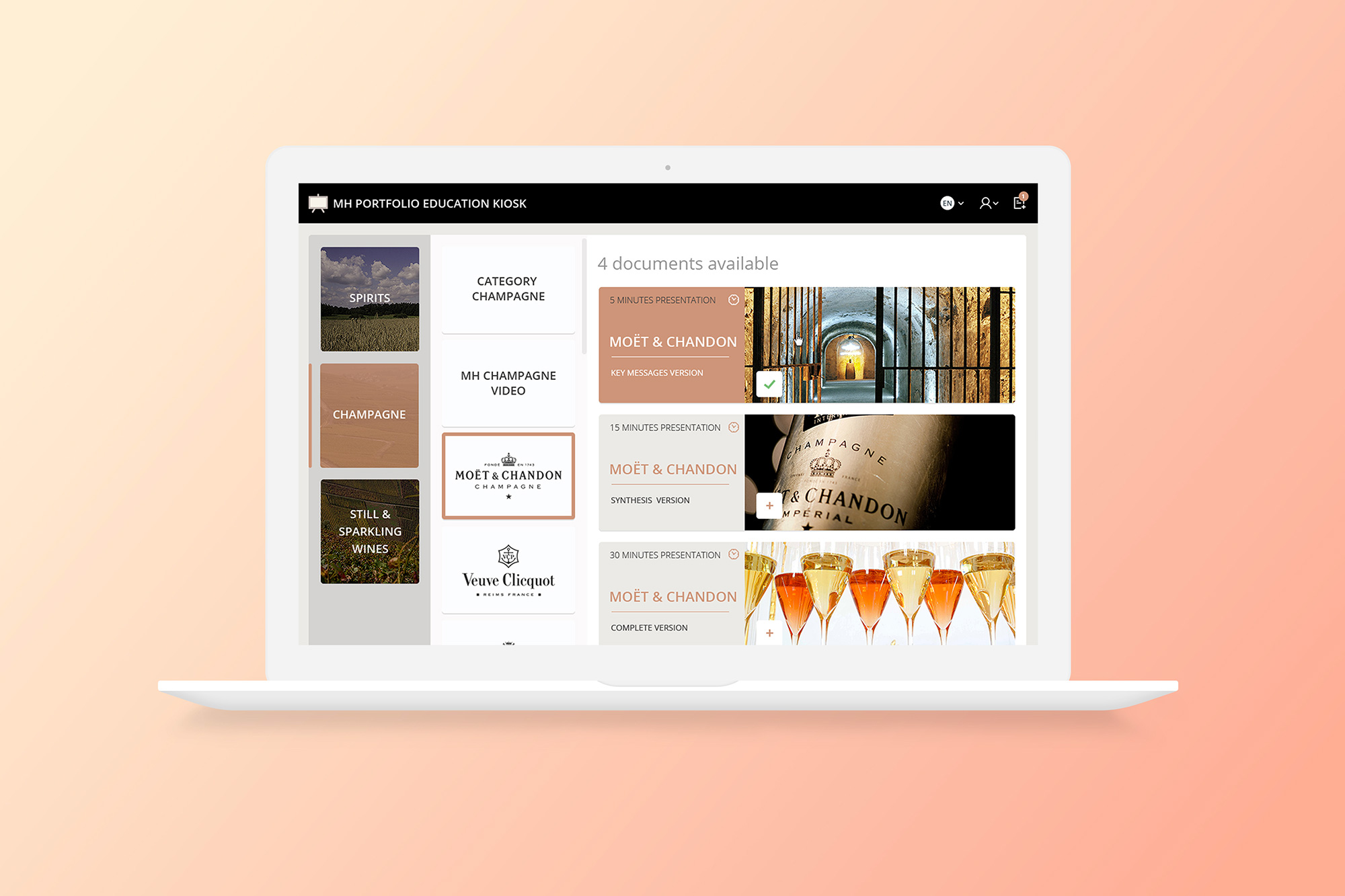
Moët Hennessy, part of LVMH, needed an internal tool to help brand ambassadors access and customize training presentations. The existing workflow involved manually searching through scattered files and creating custom presentations from scratch.
The goal was to create a centralized platform where users could browse resources by category and brand, select multiple presentations, and merge them into a single downloadable file.
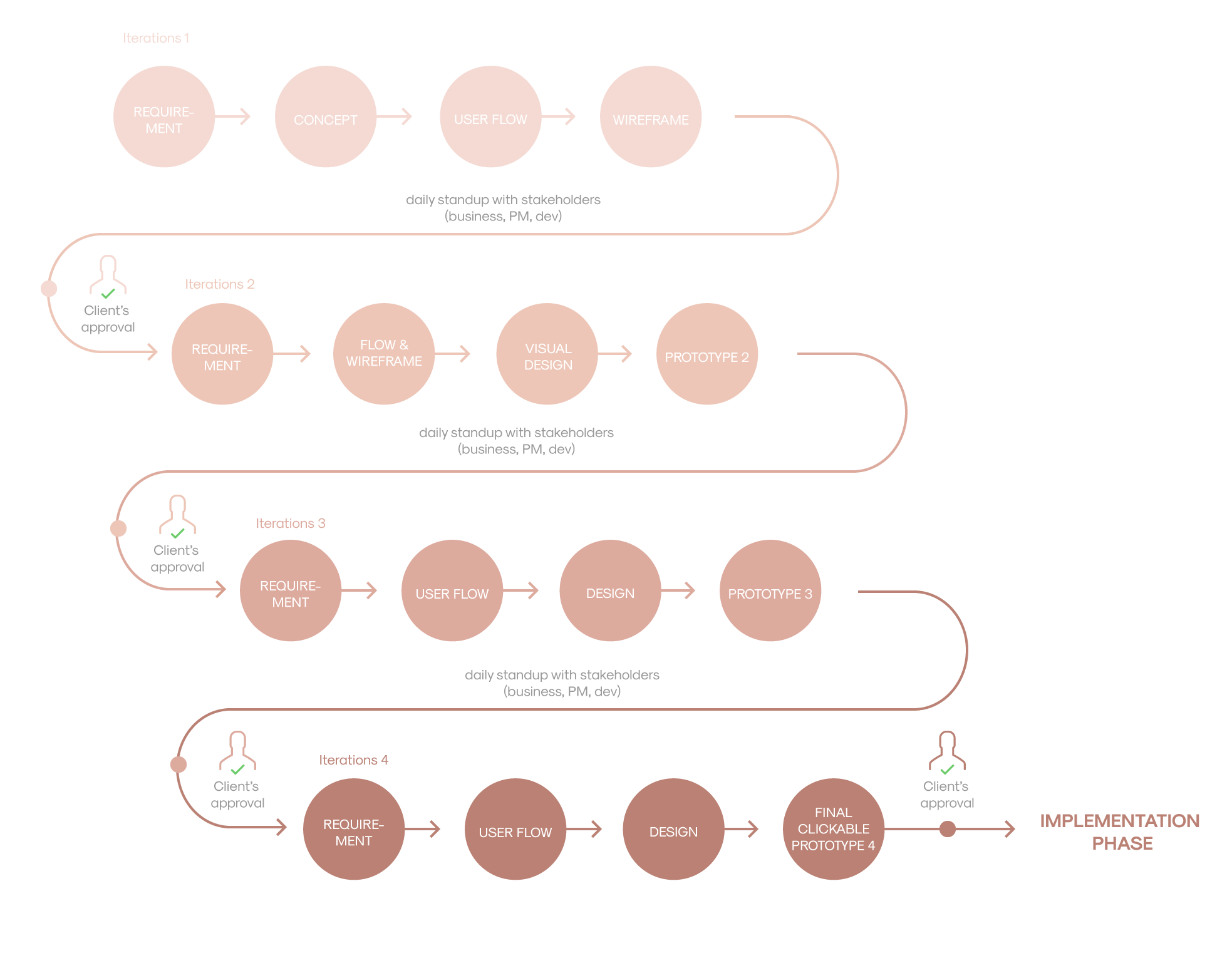
I led the design through 4 iterative cycles, each involving requirements gathering, user flow design, visual design, and prototyping. Daily standups with stakeholders (business, PM, developers) ensured alignment throughout.
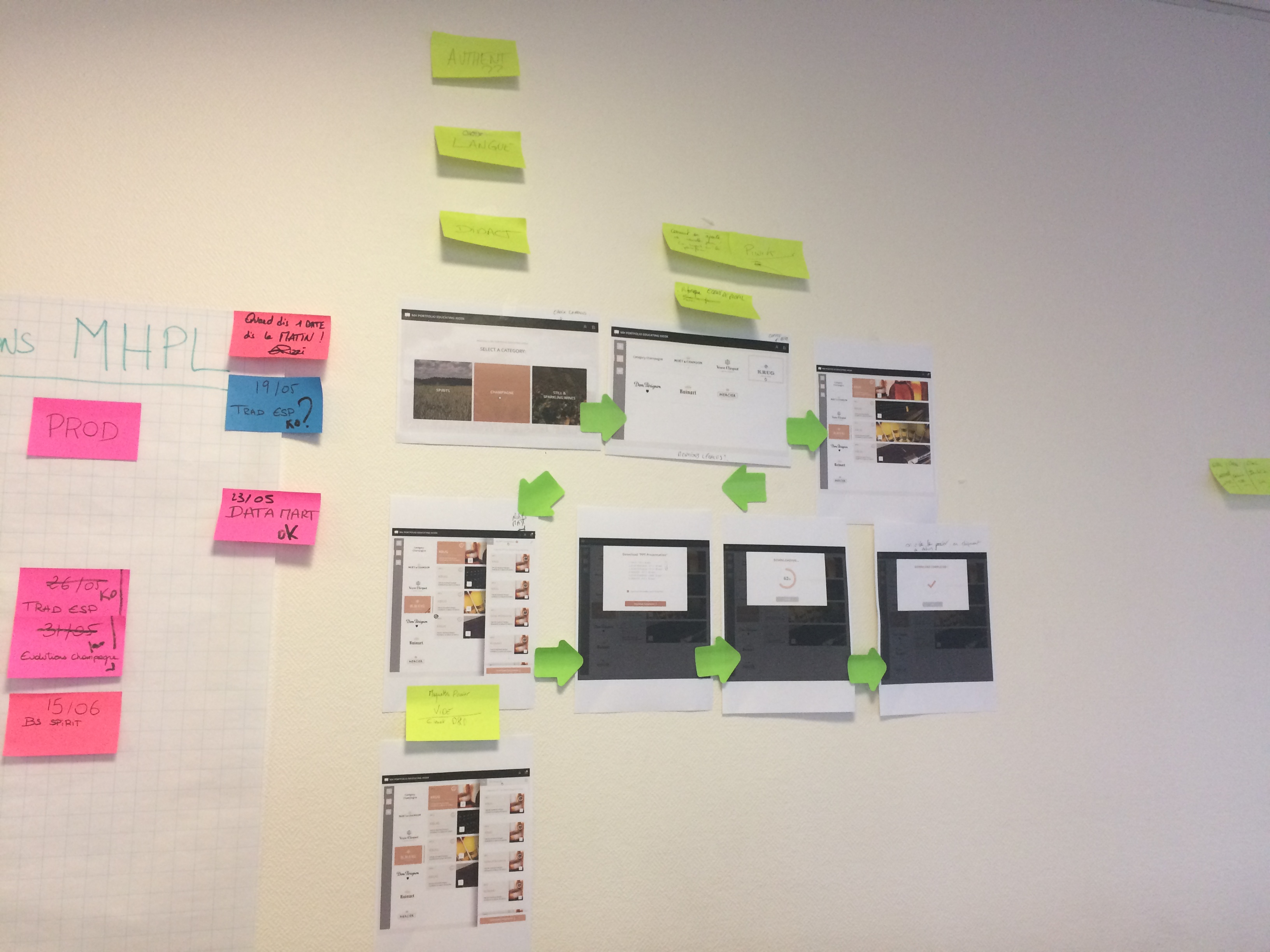
The primary user flow allows brand ambassadors to:
- Select a category (Champagne, Still & Sparkling Wines)
- Choose a brand (Moët & Chandon, Veuve Clicquot, etc.)
- Add resources to their selection cart
- Organize and rename presentations
- Merge and download as a single file
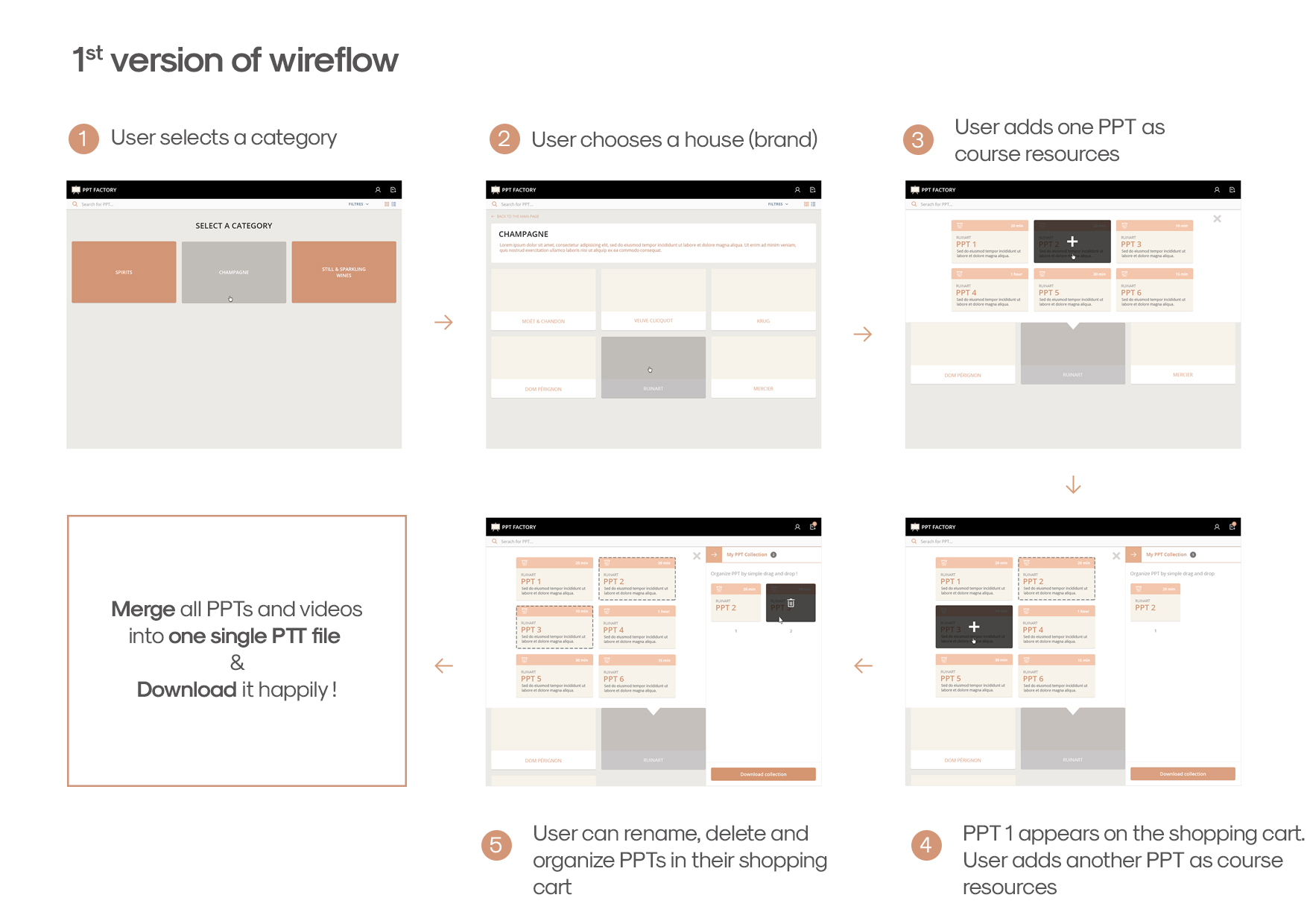
Through user testing and stakeholder feedback, I explored 3 different approaches to organizing PPTs and videos. Each iteration refined the information architecture and interaction patterns.
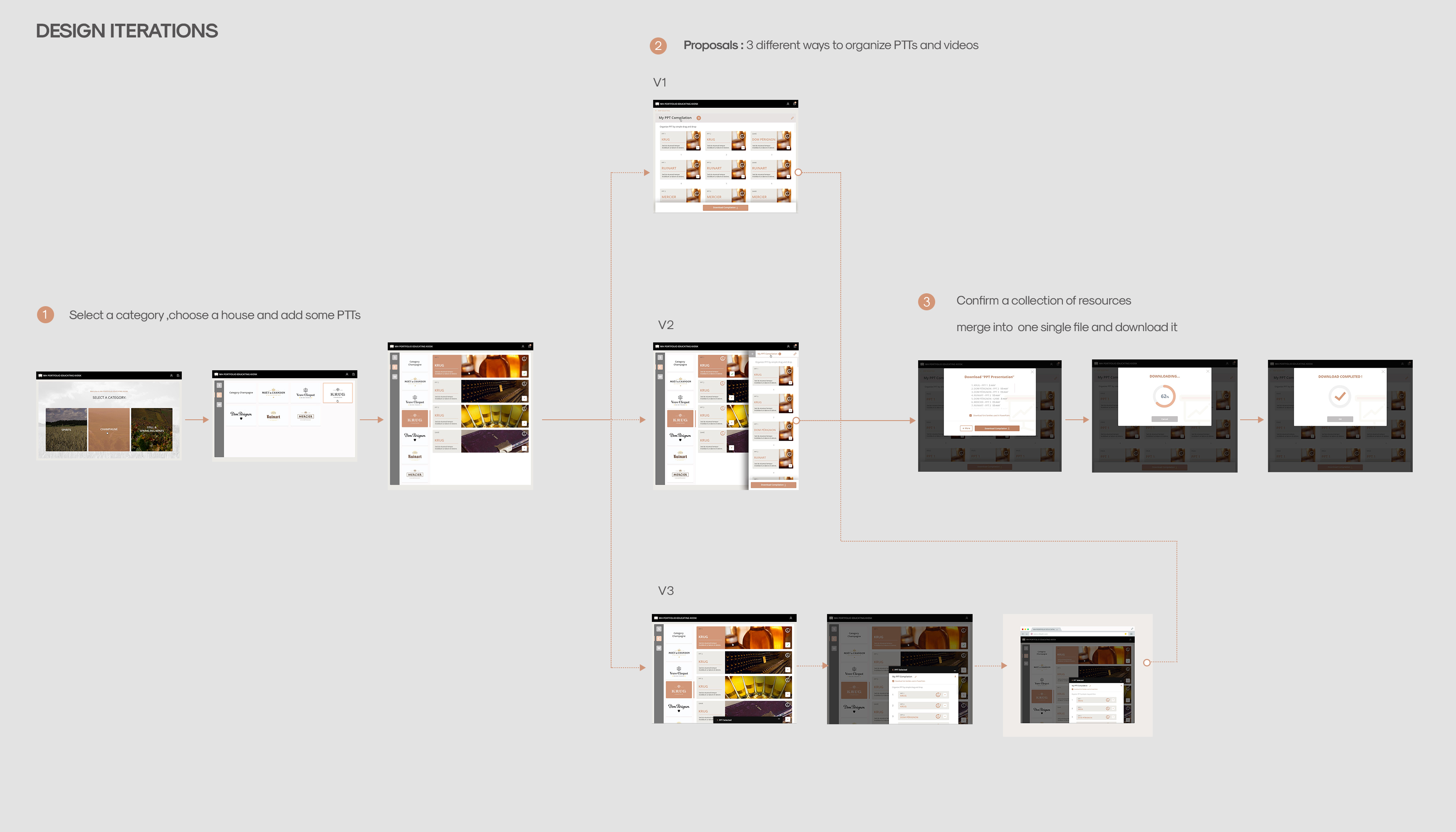
The final UI follows Moët Hennessy's brand guidelines with a warm, elegant color palette that reflects the luxury positioning of their wine and champagne portfolio.
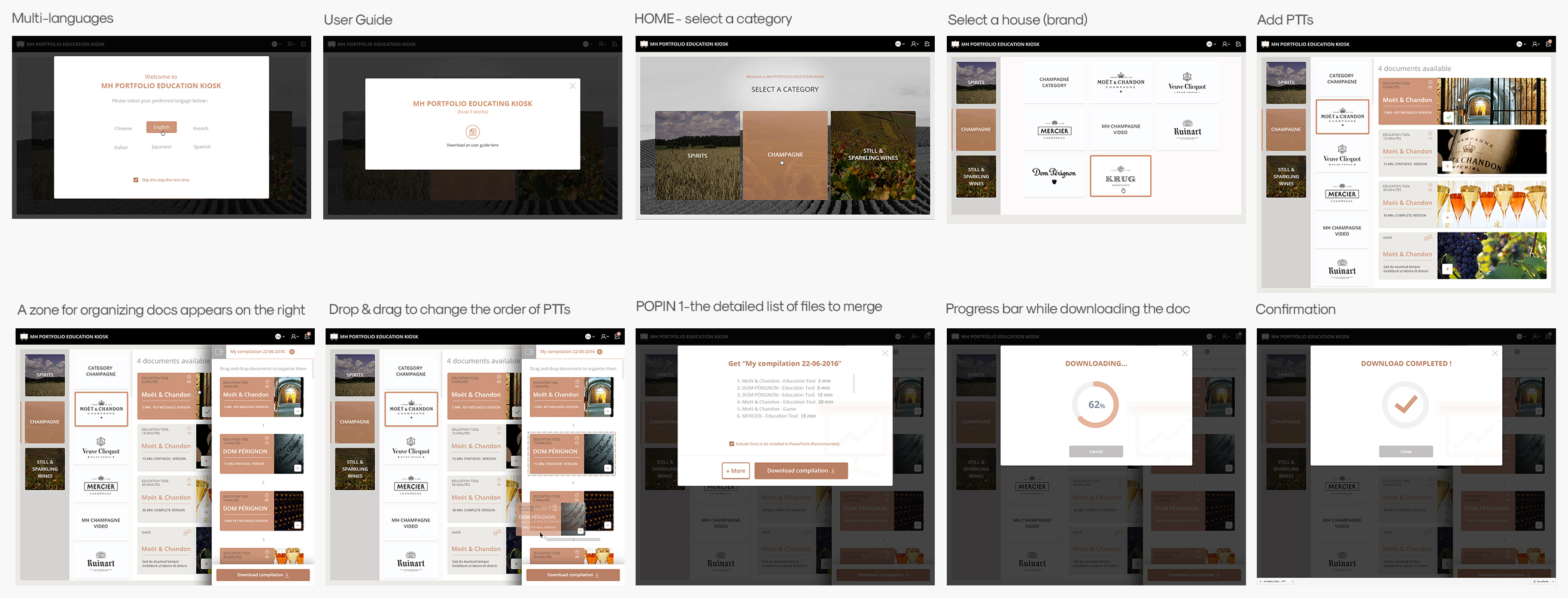
Watch the interactive prototype demonstrating the complete user flow — from language selection through brand browsing to resource download.
The MH Education Kiosk streamlined the training material workflow for brand ambassadors across multiple markets:
- Centralized access to all training resources
- Reduced preparation time through merge and download
- Multi-language support for global teams
- Consistent brand presentation across markets