Purchase Order MVP: From Black Box to Visual Procurement
I designed a "Visual Procurement" system for Sage's cloud ERP that reduced inventory costs by 10% and contributed to ~$2M in operational value (Forrester TEI).
Lead
UX Designer
8 mo
Duration
-10%
Inventory Cost
~$2M
Forrester TEI
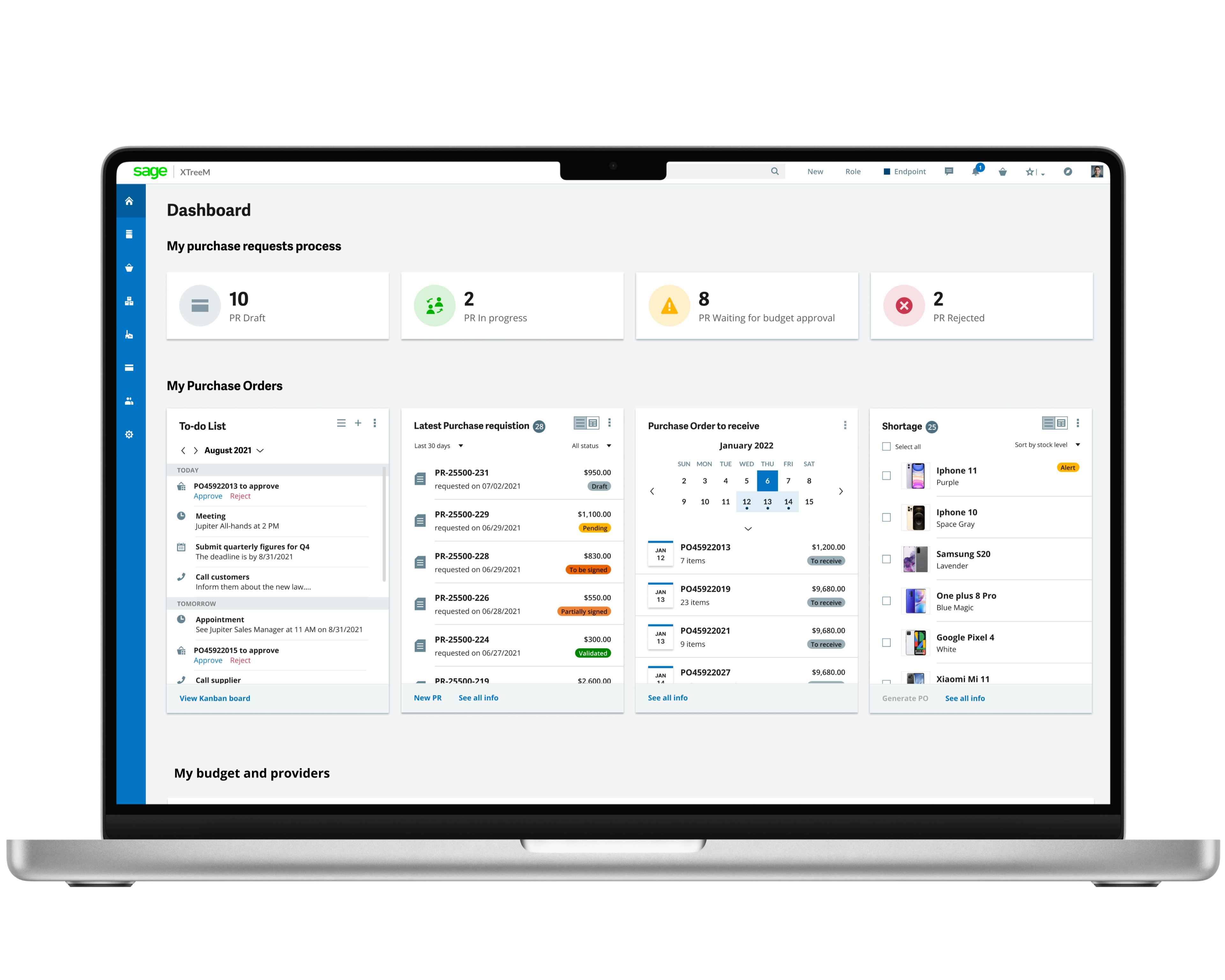
To comply with my non-disclosure agreement, I have omitted and obfuscated confidential information. All information is my own and does not necessarily reflect the views of Sage.
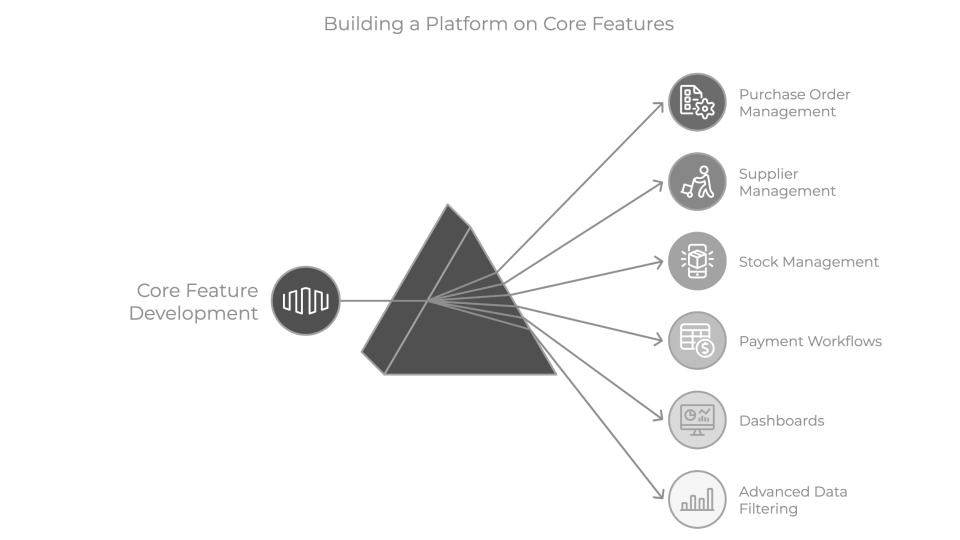
Purchase Order Management is the entry point of the supply chain—connecting suppliers, inventory, and payments. If POs are slow or error-prone, the entire downstream flow suffers.
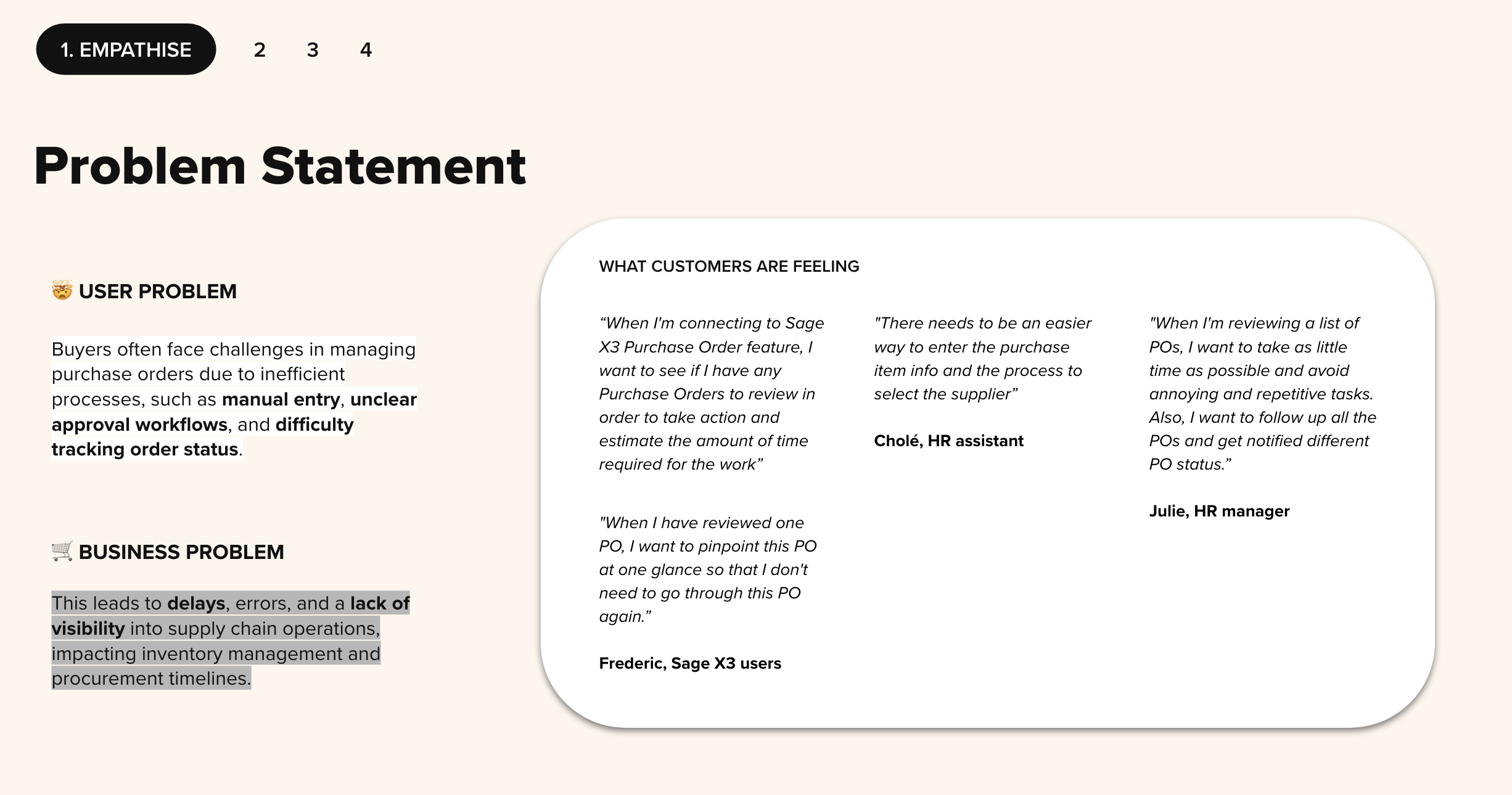
Procurement managers were struggling with opacity. The legacy process relied on static lists and manual entry, creating three critical business risks:
- Process Blindness: Buyers couldn't track approval statuses, leading to production bottlenecks.
- High Error Rates: Unguided manual entry resulted in data inaccuracies that disrupted accounting.
- Reactive Management: Without visibility, teams were constantly firefighting shortages rather than planning strategically.
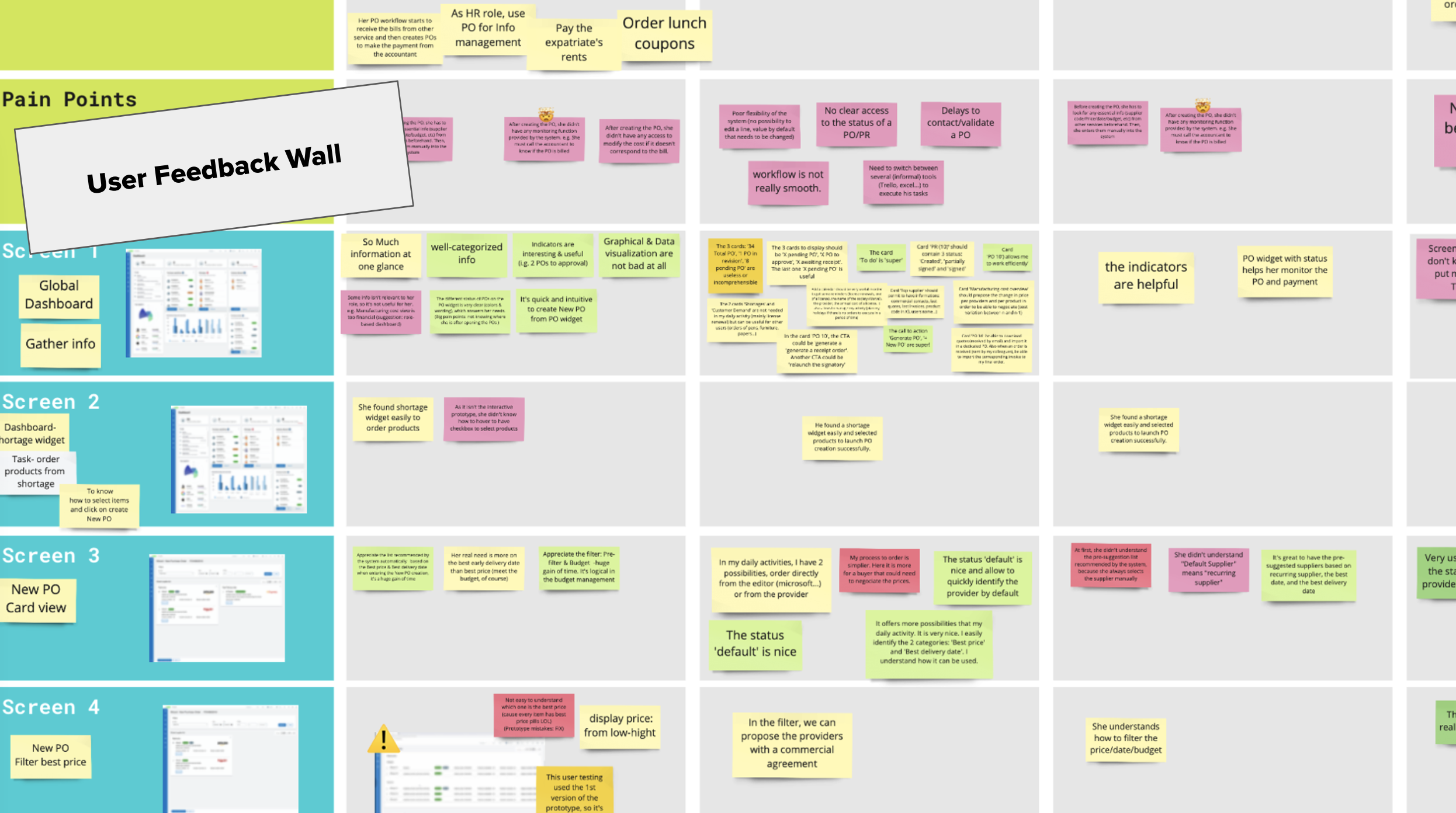
I conducted 5 pre-sprint interviews with procurement managers and buyers, using open-ended questions to understand their daily workflows. Through affinity mapping, I synthesized three recurring pain points:
"It's time-consuming"
Manual data entry was slow and repetitive. Buyers spent more time inputting than analyzing.
"I spend 2 hours a day just copying data from emails into the system." — Procurement Manager
"It's unreliable"
Unclear approval workflows led to delays. Buyers didn't know where their PO was stuck.
"I have to chase my manager on Slack to know if my order is approved." — Buyer
"It's too complex"
Hard-to-track status impacted inventory and procurement timelines.
"By the time I realize something is missing, production is already delayed." — Operations Lead
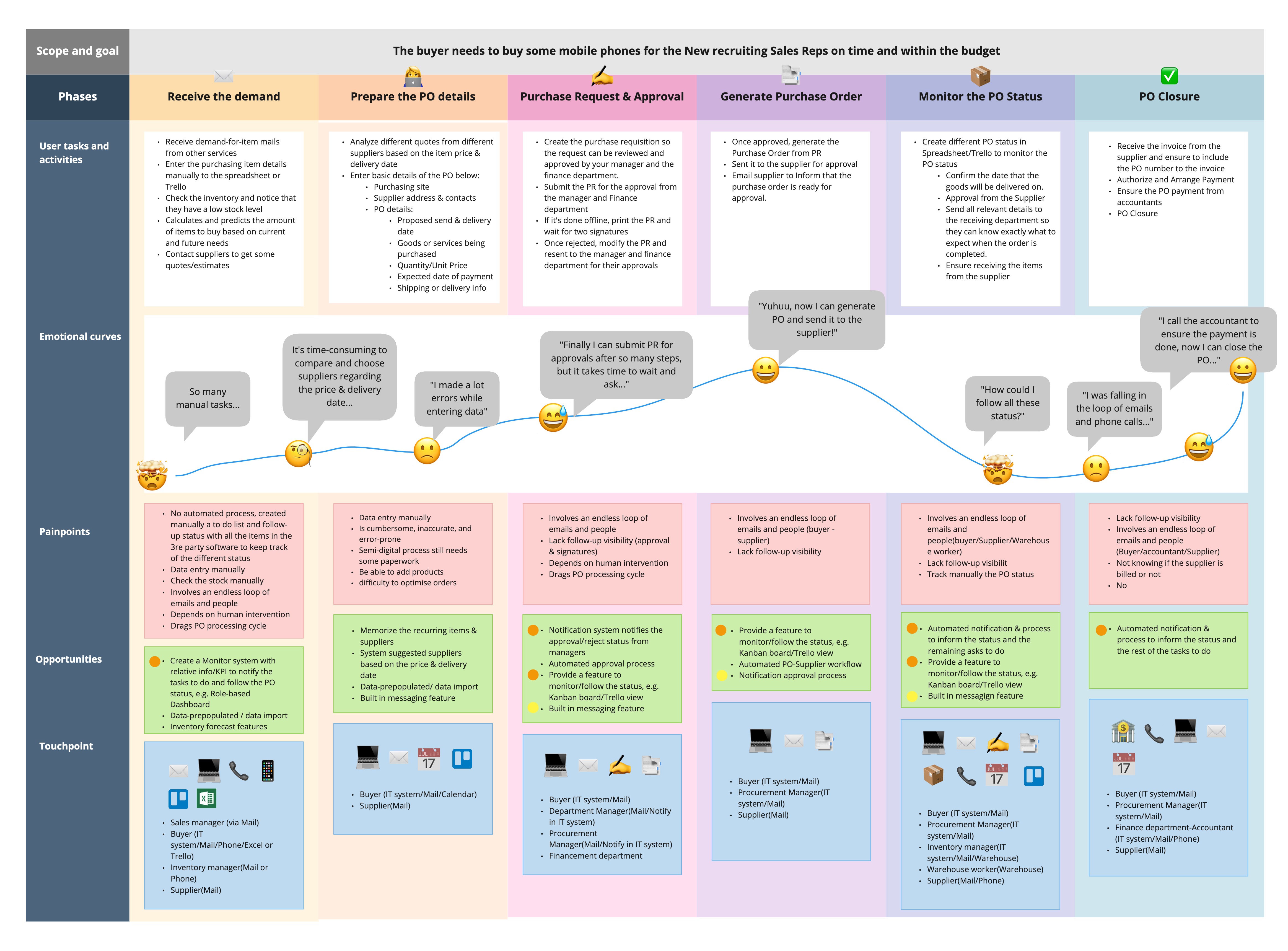
To address these challenges, I led and completed multiple rounds of research. This process included conducting competitor analysis (reviewing 5 competing ERP systems), facilitating a 5-day design sprint with cross-functional teams (PM, engineering, sales) to establish a clear MVP scope and ensure team alignment, and concluding with user testing studies and qualitative interviews.
Based on my synthesis, I proposed three strategic bets that were validated by the team:
Bet 1: Personalization
Provide a role-based dashboard so buyers understand status and next actions immediately upon login.
Bet 2: Benefit-first decisions
Help buyers select suppliers based on constraints (price, lead time, quality) rather than scrolling through lists.
Bet 3: Automation
Make ordering fast with autofill, smart defaults, and templates to reduce manual input.
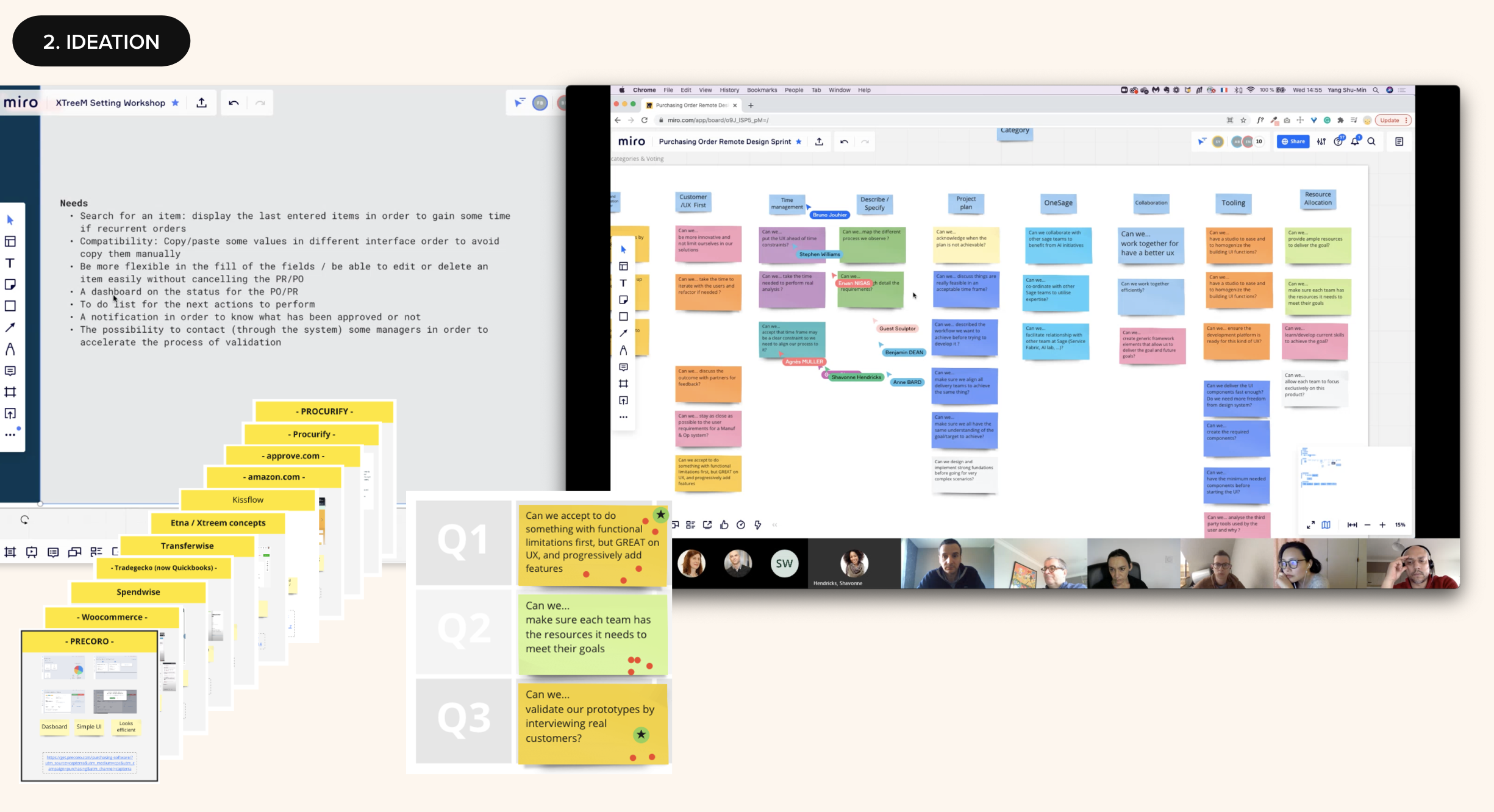
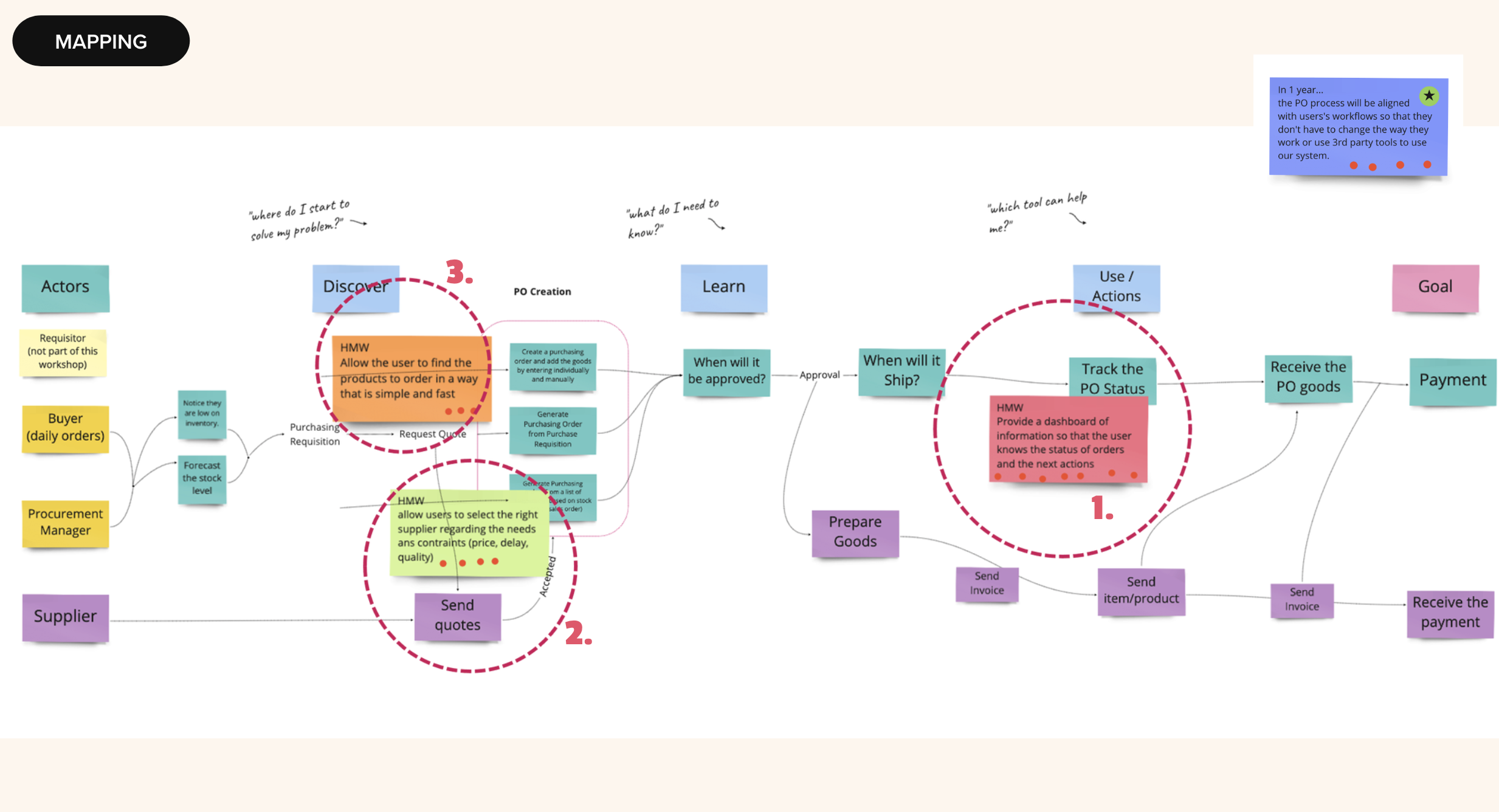
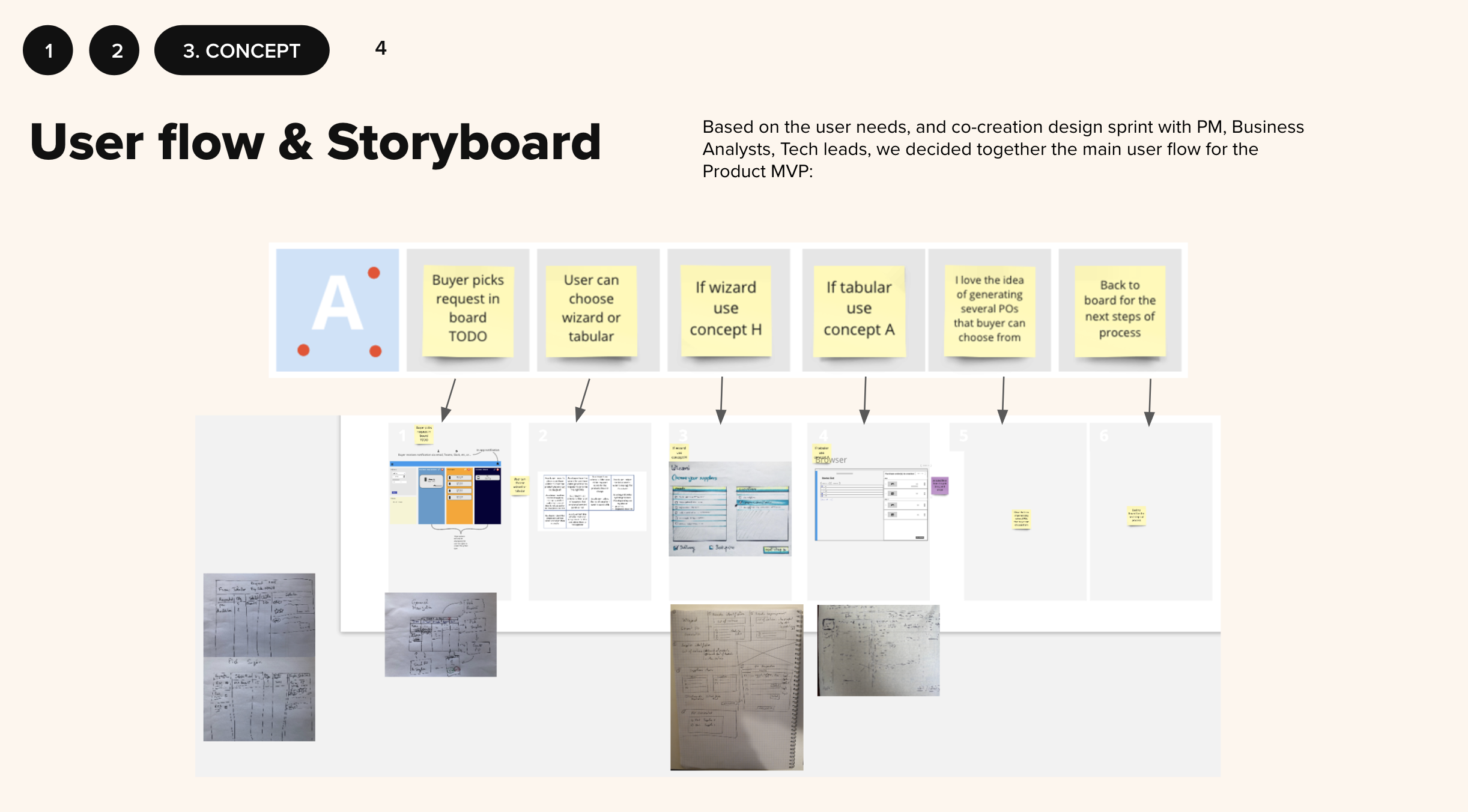
I led 4 usability testing sessions during the design sprint (2 with external participants), partnering with another UX designer to facilitate. I created the test script, moderated the sessions, and synthesized findings.
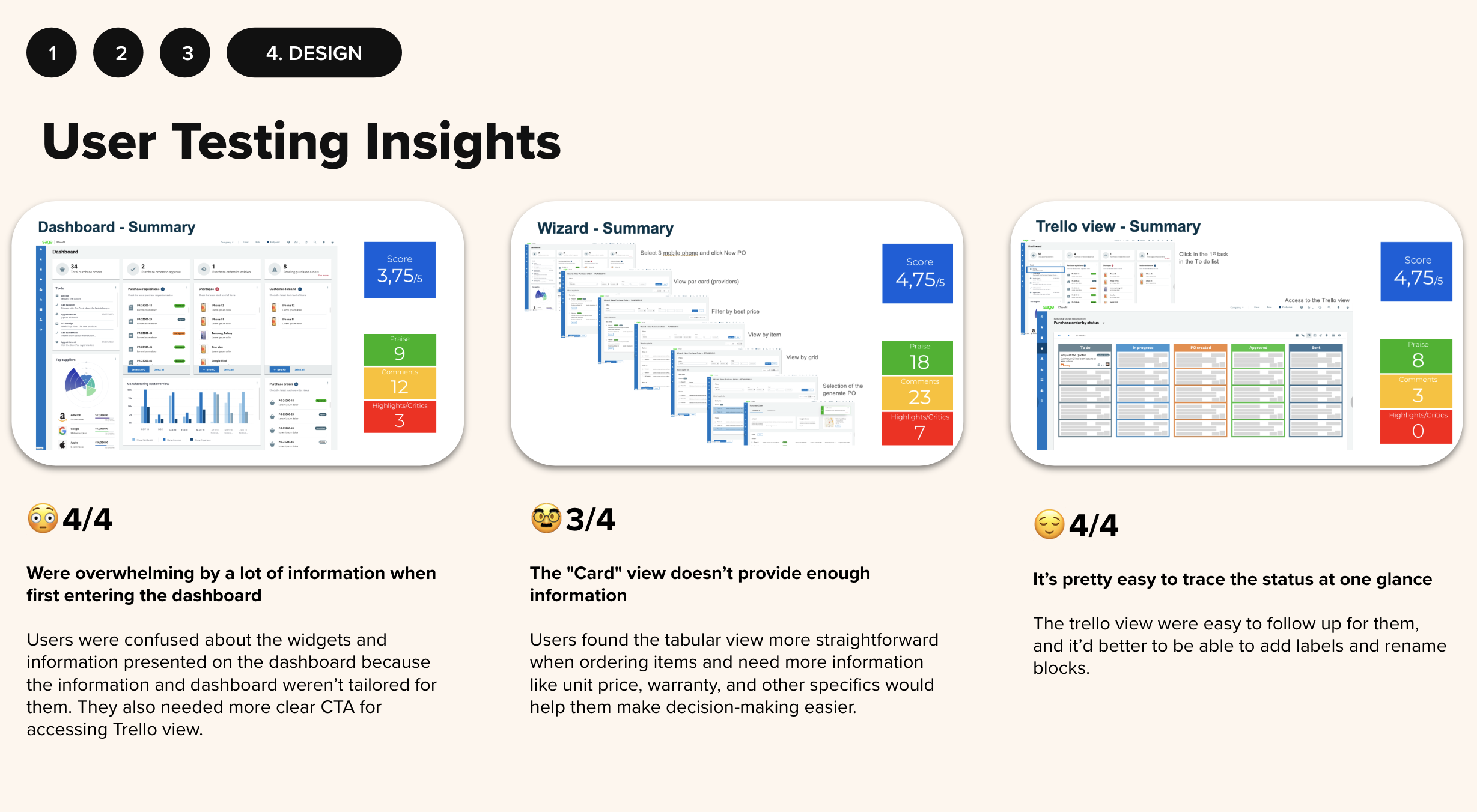
From the sessions, I identified key insights that informed the necessary changes for the next design iteration:
Decision A — Kanban over Table
The ChallengeI initially designed a traditional table view, assuming ERP users preferred familiar patterns. But in usability testing, 4 out of 5 participants failed to locate order status.
My PivotI proposed switching to a Kanban board pattern. I presented data from the testing sessions to convince stakeholders that "visual management" would outperform the familiar table.
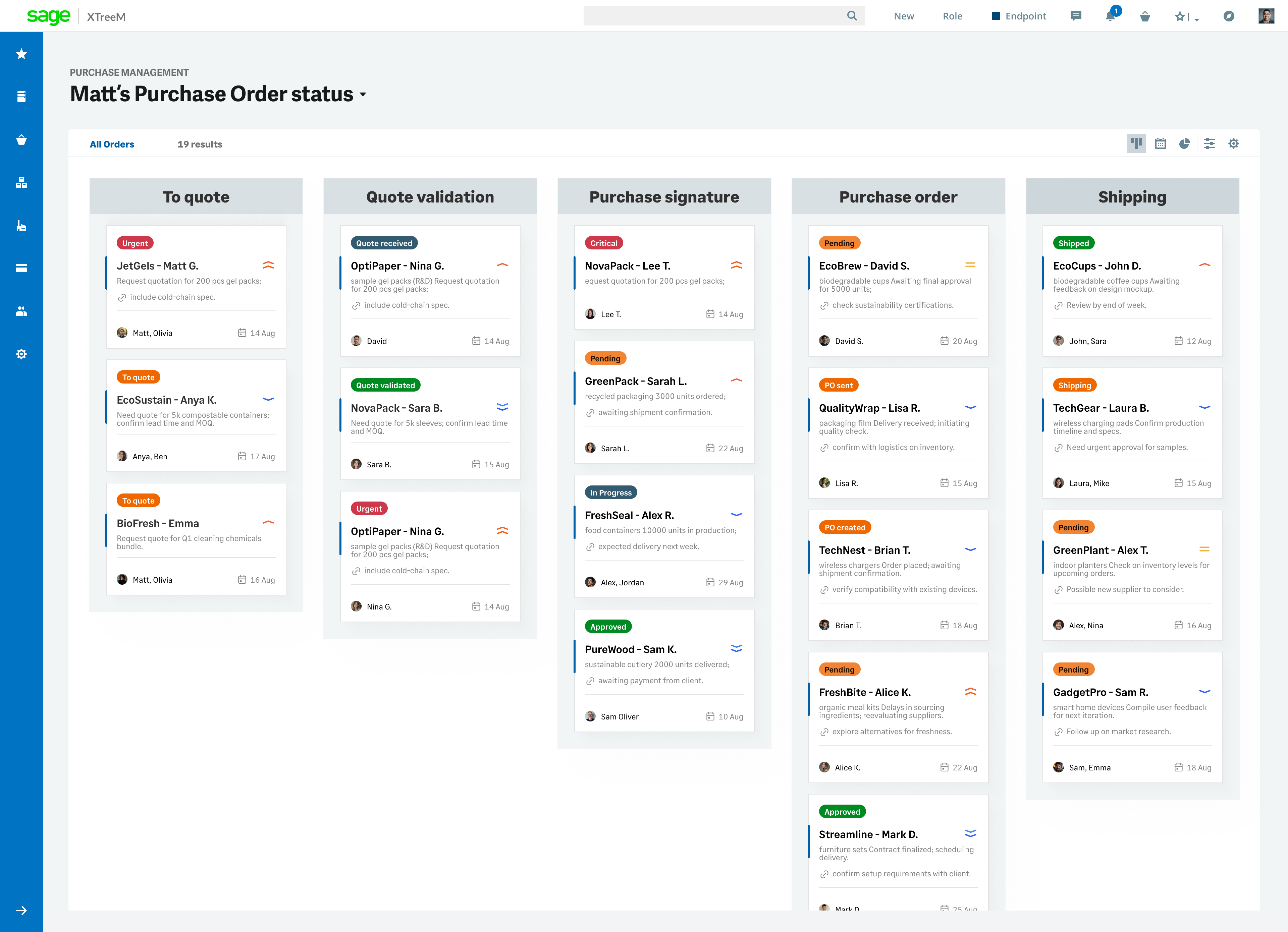
OutcomeInstant status visibility. "Draft → Pending → Approved" at a glance.
Decision B — Smart Wizard
The ChallengeThe original long-form entry screen caused frequent errors. Users skipped required fields or entered incorrect data.
My SolutionI designed a sequential wizard with smart defaults and inline validation. Trade-off: more screens, potentially slower for experts.
OutcomeError prevention before submission. Reduced accounting disruptions.
Decision C — Card vs Table (Item View)
The ChallengeI initially tested a card view for item selection because it felt more modern. But users found it lacked the details they needed to make quick decisions.
My AdaptationI pivoted to table for item details but retained cards for status tracking—using the right pattern for each context.
OutcomeBalanced information density with visual clarity.
Through this Design Sprint, I successfully narrowed the product scope from 12+ potential features to three key directions. I presented this recommendation to leadership, who approved it as the MVP roadmap.
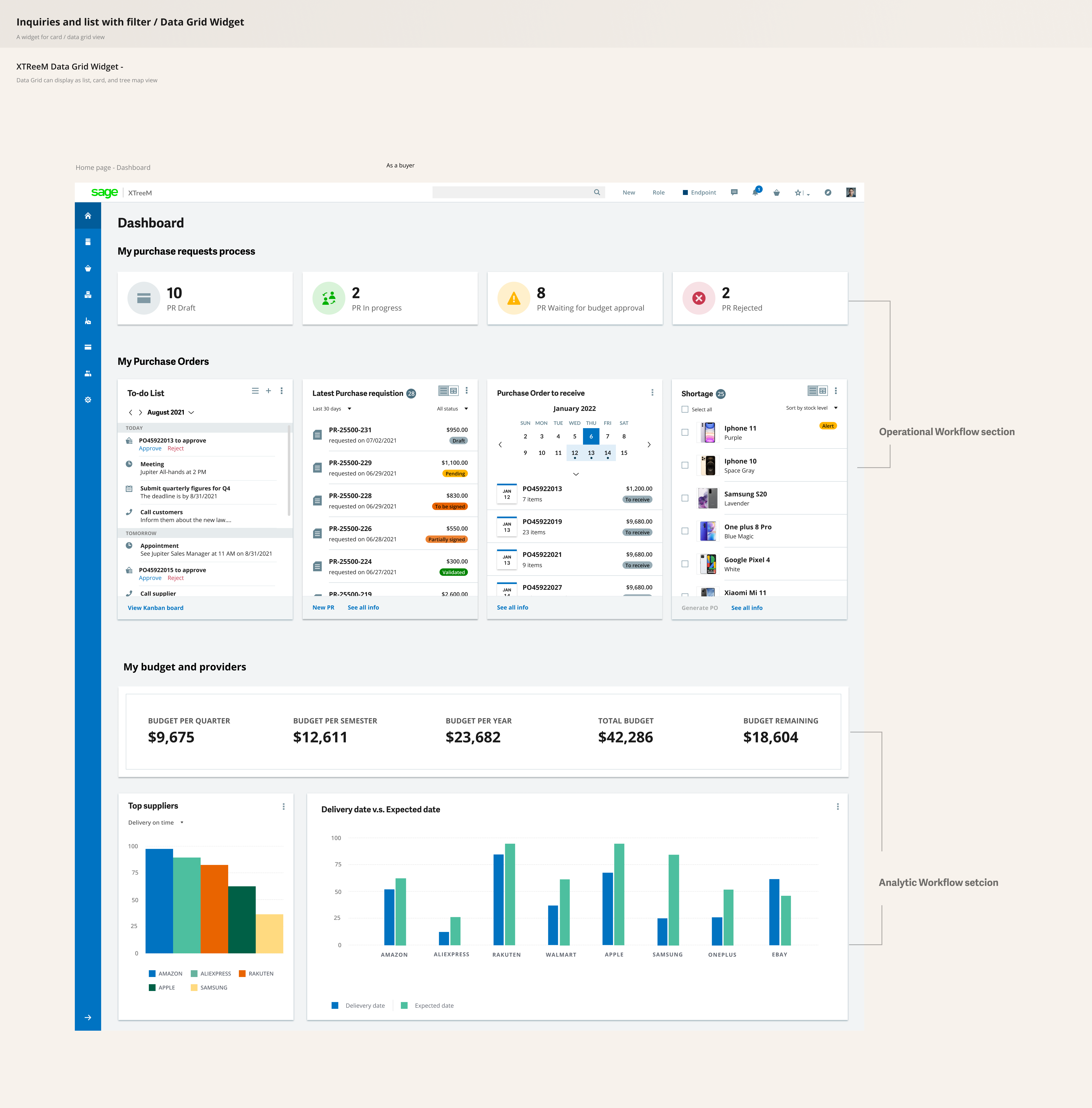
1. Role-Based Dashboard
Surfacing urgent actions (e.g., "3 Approvals Pending") upon login. Each role sees their priorities first.
2. Smart Wizard for Order Creation
Guided, error-free order creation with autofill and smart defaults.
3. Kanban Board for Status Tracking
Drag-and-drop status tracking. Visualize the PO lifecycle instantly.
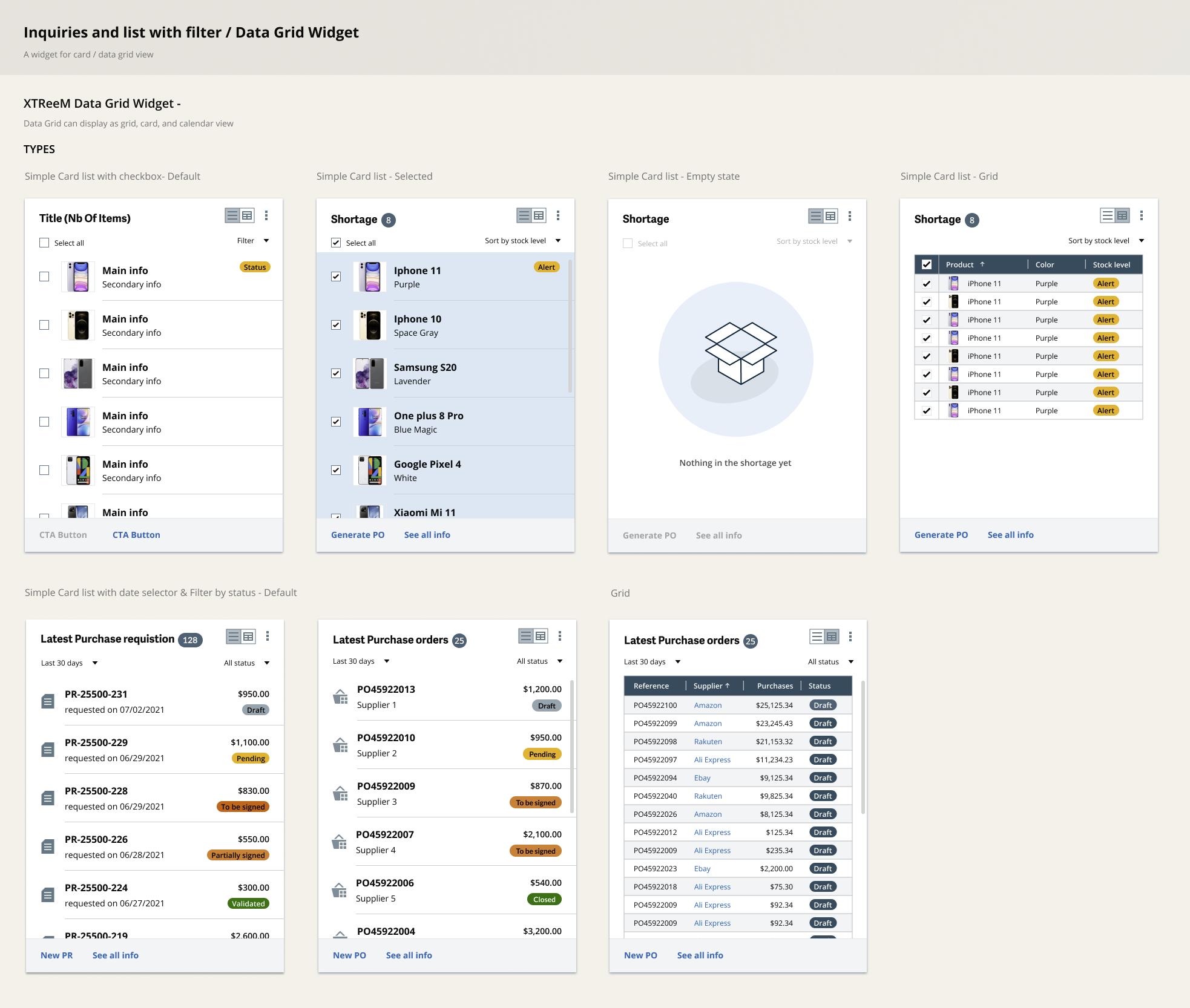
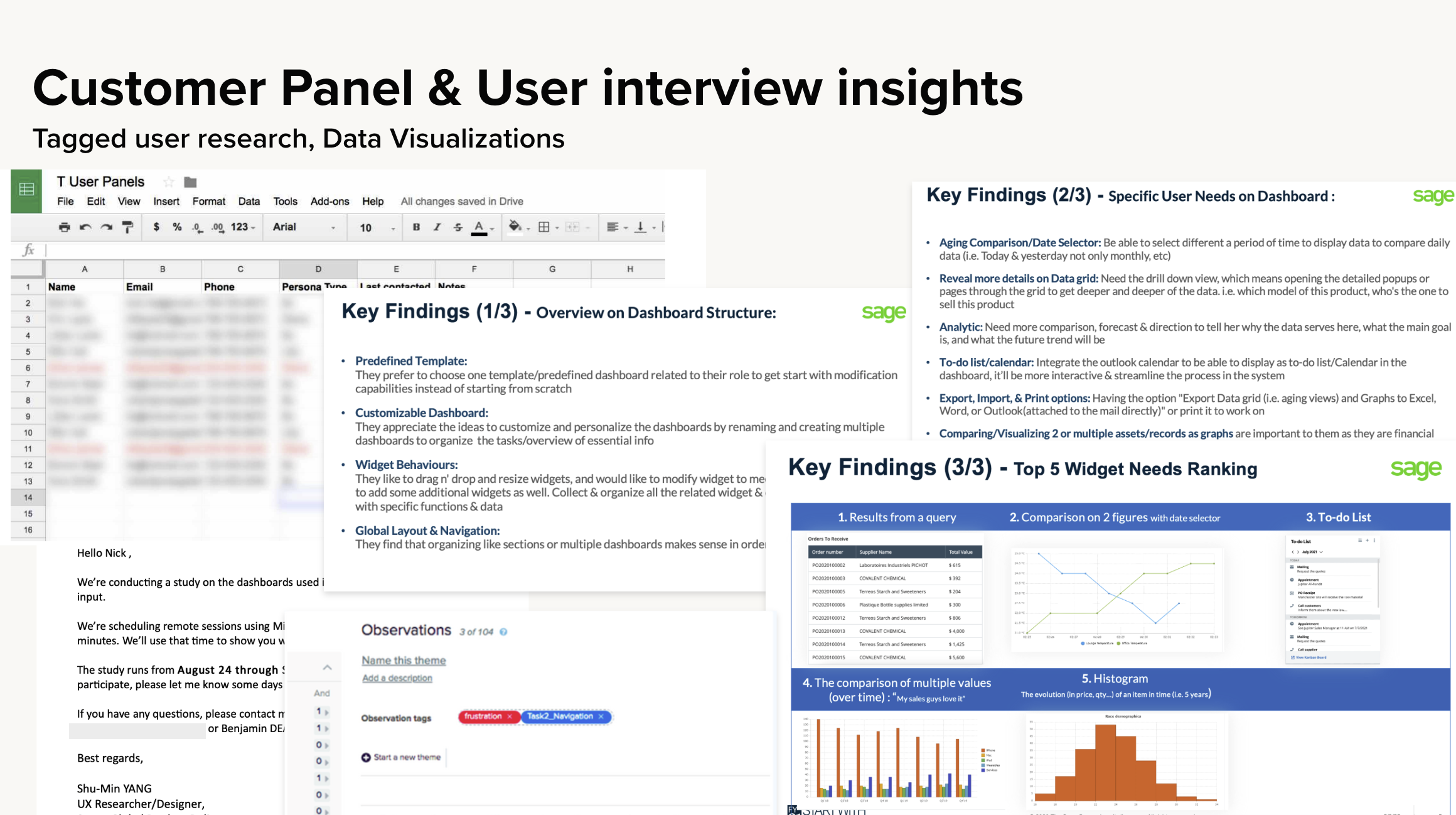
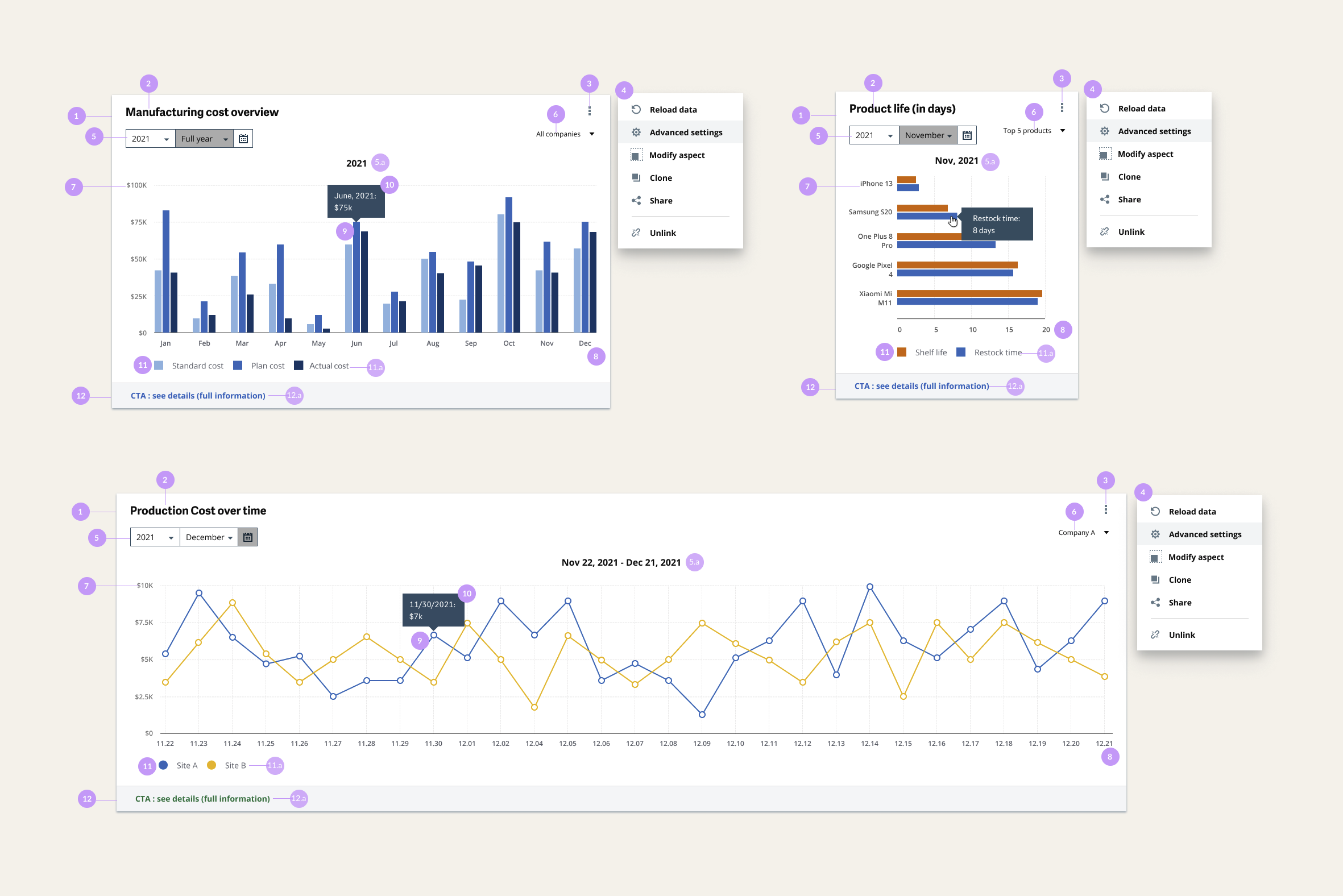
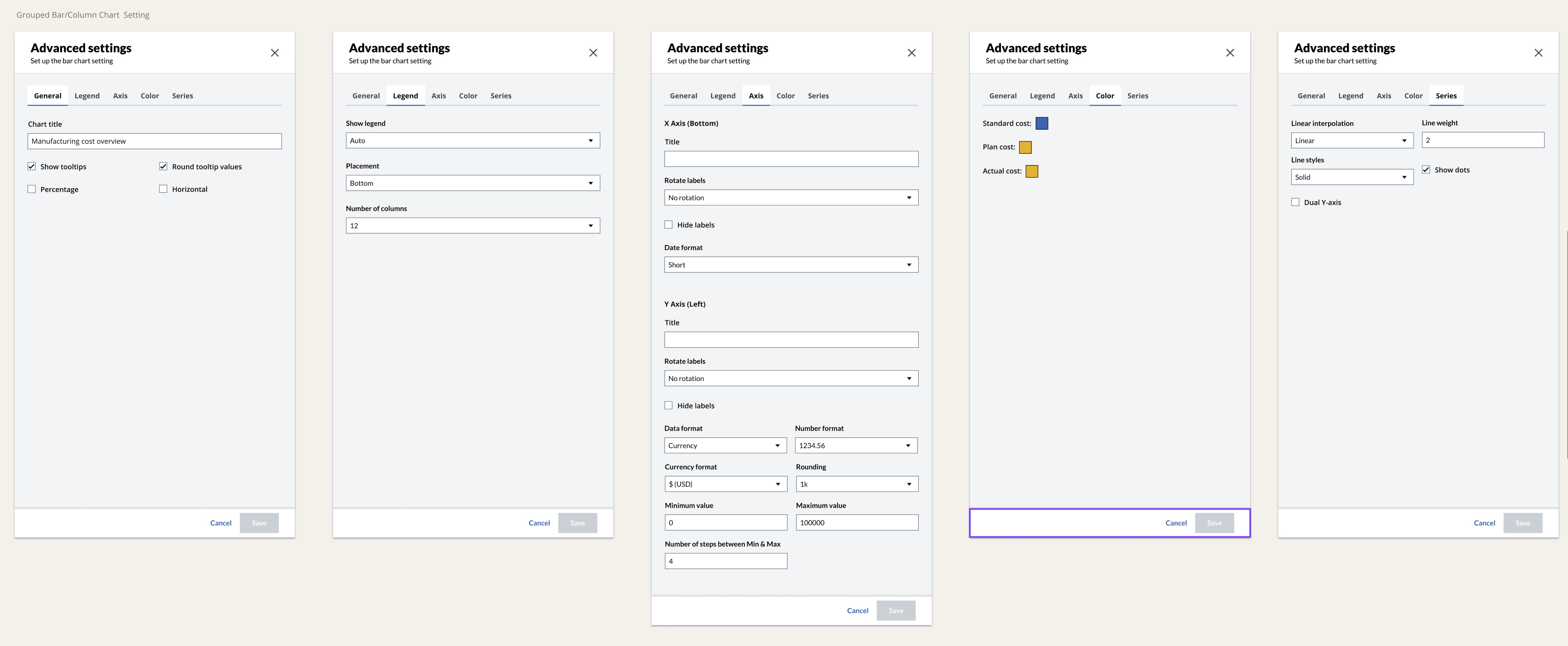
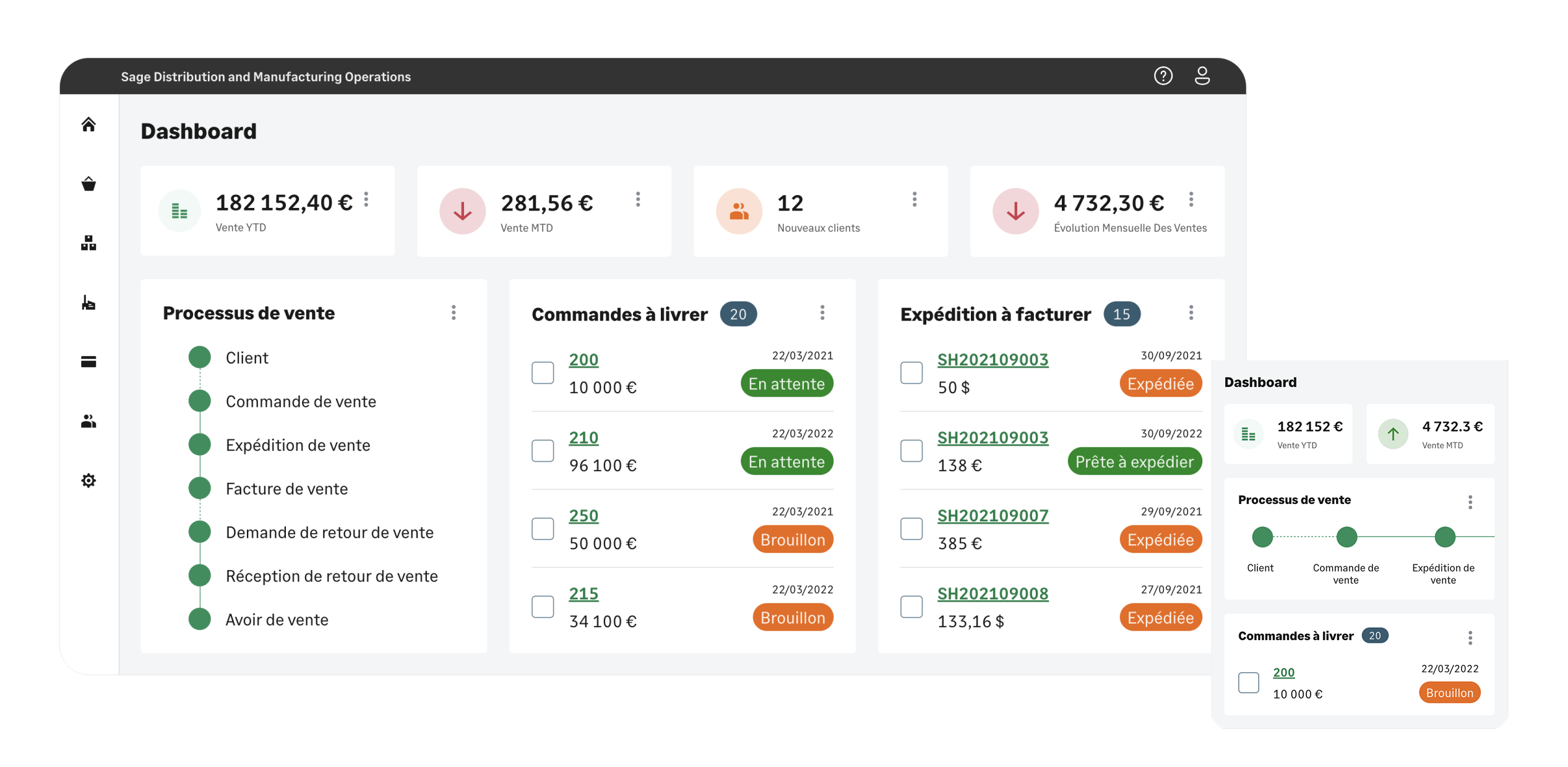
After this MVP, we were determined to ship the dashboard feature, so we started another round of research with customers to refine the user needs in order to build Dashboard widgets with advanced settings.
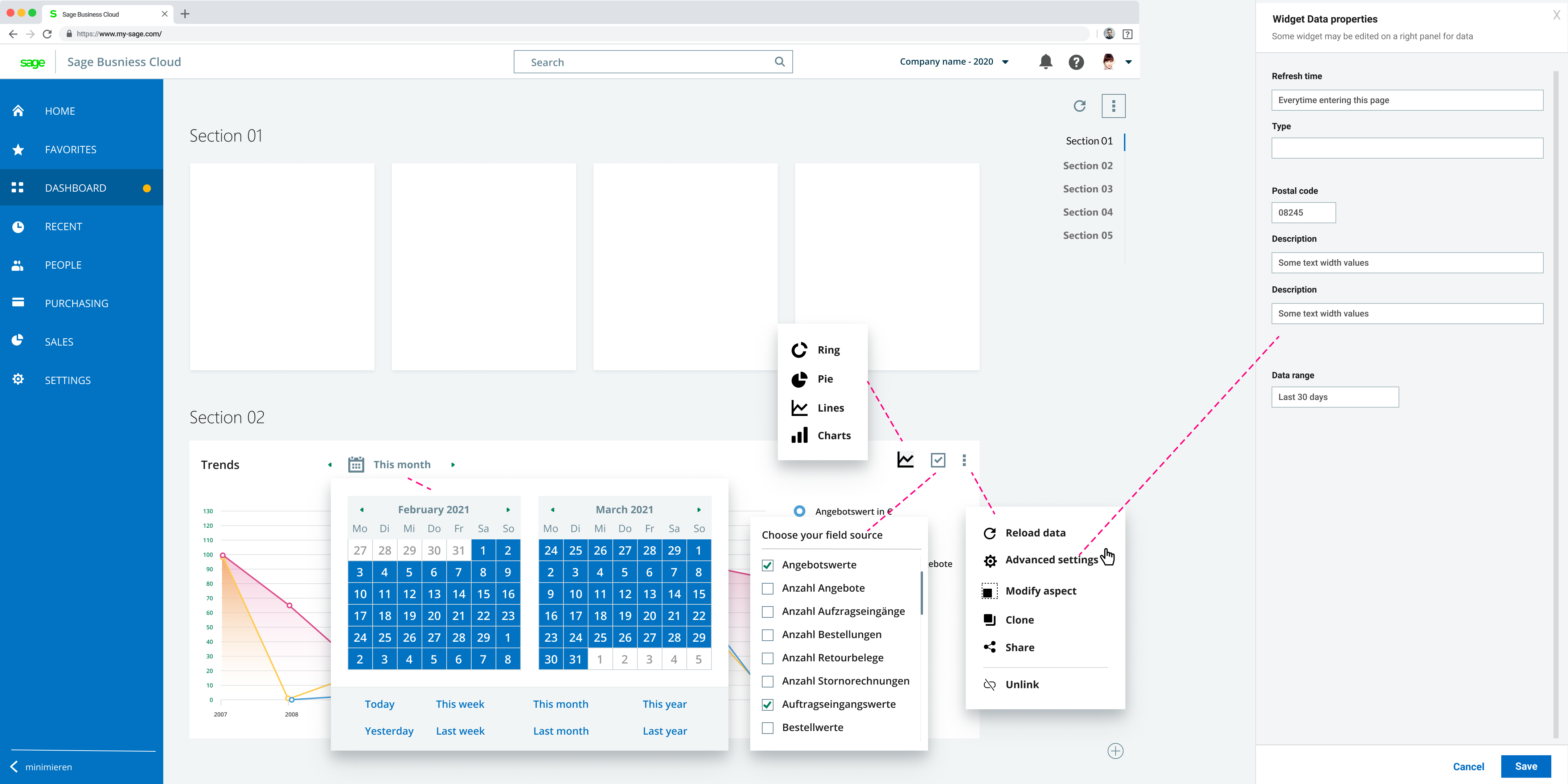
Beyond the PO feature, I led efforts to unify design patterns across Sage's ecosystem:
- Facilitated workshops with designers and developers from different product lines
- Validated the new Date Picker and interaction patterns
- Contributed reusable components (status cards, widgets) to the design system
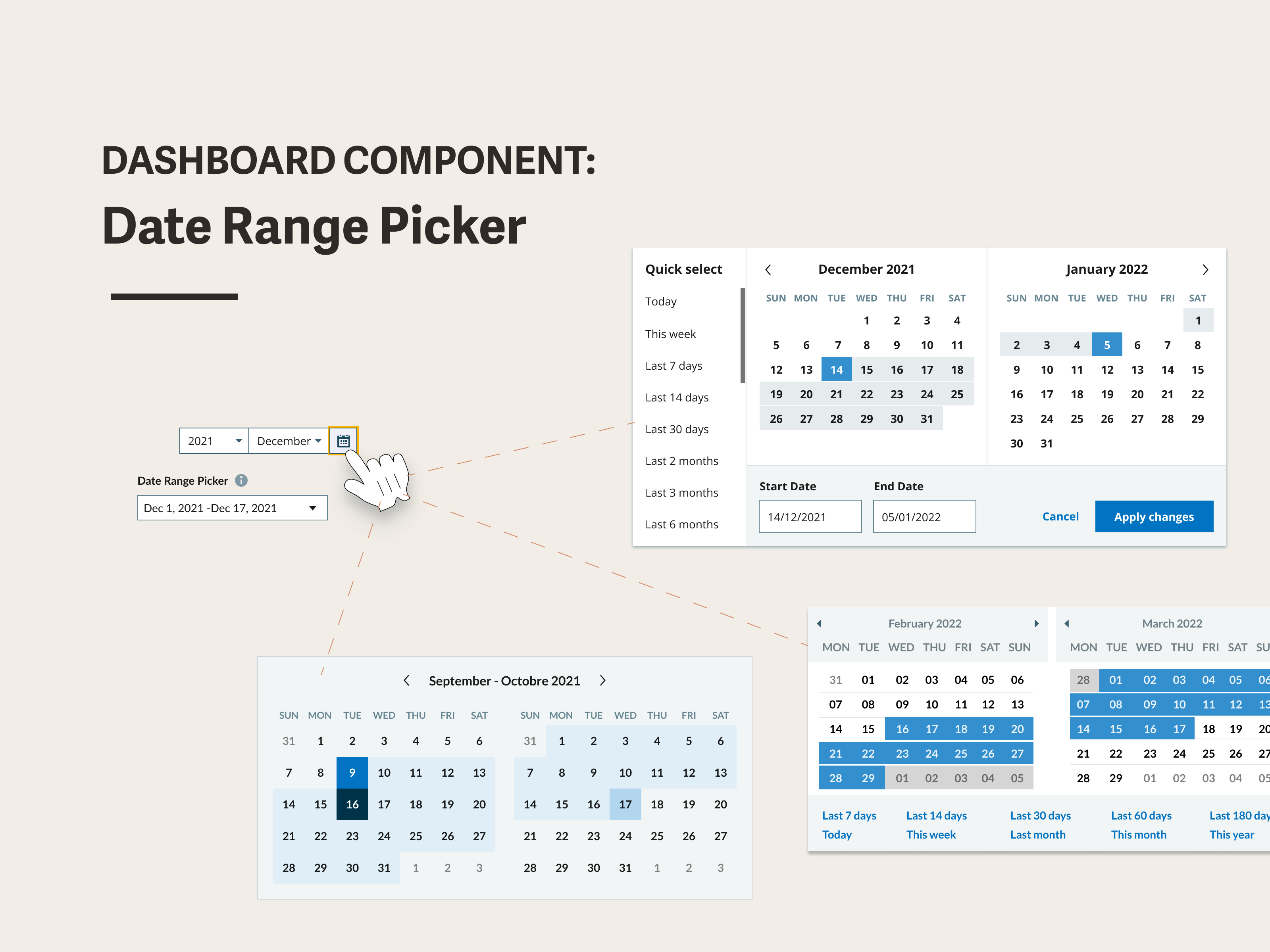
This initiative helped align disparate teams toward a unified user experience standard.
Outcomes: Validated by Market & Analysts. The success of this MVP shifted the mental model of Sage's manufacturing software and justified scaling the engineering team from 1 to 3 squads.
Key Metrics (Validated by Forrester Research TEI Study)
- Inventory Efficiency: The streamlined operations contributed to a reported 10% reduction in inventory levels.
- Financial Value: Part of the solution suite estimated to deliver a risk-adjusted benefit of ~$2M post-implementation.
- Team Growth: Started with 2 designers; the PO MVP justified growth to 3 scrum teams and 3 designers.
Note: Metrics are from a Forrester TEI study covering the entire Sage Operations suite; this PO feature was one of the contributing modules.
- Challenge assumptions, even in enterprise. I assumed ERP users wanted familiar table patterns. The pivot to Kanban taught me that user research can reveal opportunities to bring consumer-grade UX to enterprise products—if you're willing to challenge conventions.
- Fast validation prevents expensive pivots. The Card vs Table finding came from a 1-day prototype test. This experience reinforced my belief in rapid prototyping: 1 day of testing saved weeks of development rework.
- Design systems as a leadership opportunity. By contributing components to the design system, I extended my impact beyond this single feature. It also taught me that senior IC work isn't just about shipping features—it's about raising the quality bar for the entire organization.
During the 2021–2022 PO MVP and subsequent iterations, I observed that the bottleneck often wasn't "how usable is the PO screen" — it was earlier: Requisition (PR) quality. Missing fields, incomplete supplier/contract info, and unclear justifications caused approval loops and Buyer rework.
As a designer, I wanted to explore how conversational UI + agentic workflows could reduce this friction. So I built an independent side project prototype: Req → PO Copilot.
What the prototype demonstrates
- Conversational PR creation — Requesters describe needs in natural language; the system auto-fills fields and drafts the PR in real-time
- Auto-risk tagging & routing — Submit triggers risk scoring and approval workflow, with full audit trail
- One-click PR → PO conversion — Buyers can convert approved PR lines to PO draft, auto-applying contract pricing and validations
This isn't a copy of internal company policies — it's an abstraction of common procurement governance patterns into an interactive demo, exploring how upstream process design can reduce downstream rework.